Drlogy
Healthcare organization
How Patient Queue Management Streamlines Practice Management Software
Efficient queue management is critical in modern healthcare practices.
Check:
Best Practice Management Software For General Practice (GP) Clinics & Hospitals
It ensures smooth patient flow, minimizes wait times, and improves overall service quality. An integrated Queue Management feature in Practice Management Software keeps clinics organized and patients satisfied.
10 Way Queue Management Support Practice Management Software
Here are 10 Way Queue Management Support Practice Management Software.
1. Organizes Patient Flow
- Displays real-time patient status in the waiting area.
- Ensures patients are seen in the correct order.
- Reduces confusion at busy reception desks.
- Helps doctors and staff stay on schedule.
- Improves overall clinic efficiency.
Summary: A structured queue keeps patient movement predictable and smooth.
2. Minimizes Waiting Time
- Prioritizes patients based on appointment schedules.
- Avoids unnecessary crowding at the reception.
- Reduces frustration among patients and caregivers.
- Speeds up service delivery without compromising quality.
- Enhances clinic reputation for punctuality.
Summary: Reduced waiting times create a better patient experience.
3. Provides Real-Time Updates
- Notifies patients about expected wait times.
- Displays live queue status on screens or mobile apps.
- Helps patients plan their arrival better.
- Keeps staff informed of patient flow changes instantly.
- Enhances transparency in clinic operations.
Summary: Real-time updates keep everyone informed and reduce uncertainty.
4. Integrates With Appointment Booking
- Automatically aligns walk-in patients with scheduled visits.
- Prevents overbooking orle time.
- Keeps doctors’ schedules balanced and efficient.
- Adjusts queue order seamlessly during emergencies.
- Improves front-desk productivity.
Summary: Appointment integration ensures smooth coordination of all patient types.
5. Improves Patient Satisfaction
- Creates an organized, stress-free clinic environment.
- Ensures elderly or critical patients are given priority if needed.
- Reduces patient complaints about delays.
- Shows that the clinic values patients’ time.
- Encourages positive reviews and referrals.
Summary: A managed queue boosts patient loyalty and clinic image.
6. Optimizes Staff Workload
- Allows front-desk teams to manage flow without stress.
- Reduces manual calling or searching for patients.
- Balances workload among doctors and service providers.
- Improves staff morale and productivity.
- Minimizes burnout during peak hours.
Summary: Organized queues make daily operations smoother for staff.
7. Tracks Patient Turnaround Time
- Measures how long each patient spends in the clinic.
- Identifies bottlenecks in consultation or billing.
- Provides insights for operational improvements.
- Helps managers maintain service-level standards.
- Supports decisions for workflow changes.
Summary: Turnaround time data helps clinics improve efficiency continuously.
8. Enhances Communication
- Patients know exactly when they will be seen.
- Staff can update patients about delays instantly.
- Doctors are alerted about the next patient in line.
- Reduces confusion and miscommunication in busy clinics.
- Strengthens trust between patients and clinic staff.
Summary: Clear communication makes waiting less stressful for patients.
9. Supports Multi-Doctor & Multi-Department Clinics
- Manages separate queues for different specialists.
- Directs patients to the right doctor or service quickly.
- Avoids overcrowding in shared waiting areas.
- Improves coordination in multi-floor or multi-location setups.
- Increases overall clinic efficiency.
Summary: Queue management handles complex workflows effortlessly.
10. Provides Analytical Reports
- Generates reports on patient wait times and flow patterns.
- Identifies peak hours for better resource planning.
- Helps management evaluate staff performance.
- Guides decisions on expanding clinic capacity.
- Improves long-term patient service strategies.
Summary: Data insights from queues help clinics grow and operate smarter.
Drlogy Practice Management Software Features
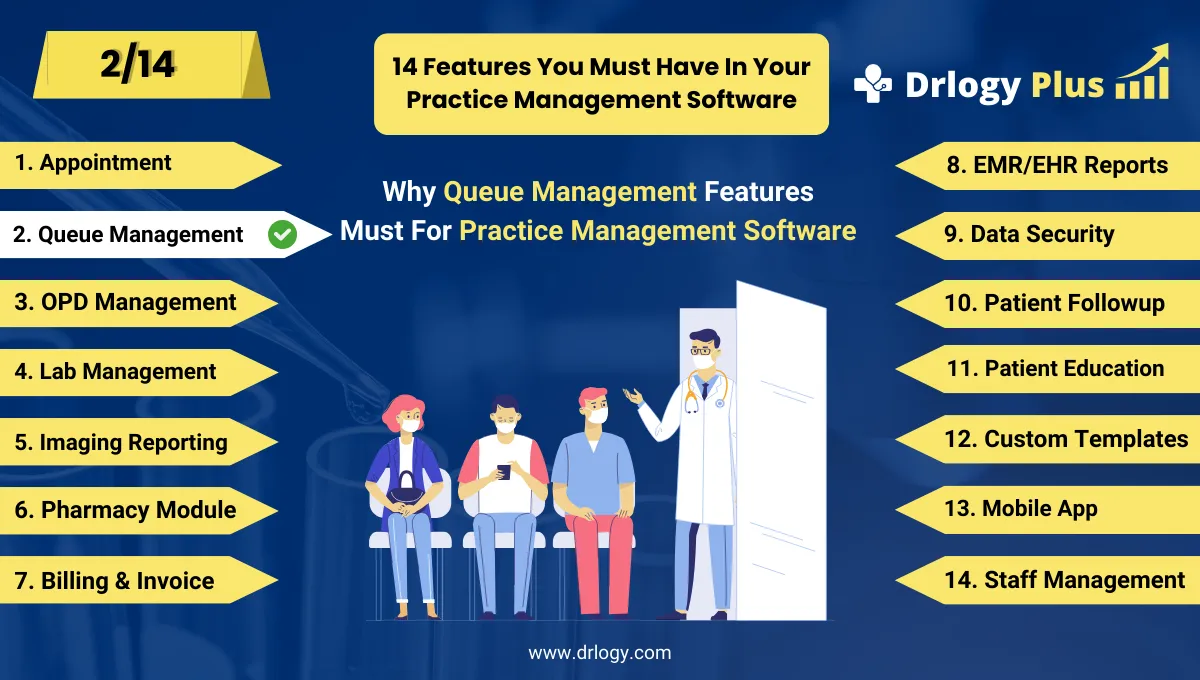
Here are 14 basic features for Drlogy Practice Management Software.
Summary
Overall, Queue Management in Practice Management Software does more than reduce waiting — it streamlines patient flow, improves satisfaction, optimizes staff performance, and delivers valuable operational insights for better decision-making.
Check Drlogy Practice Management Software Features Guide helps to support for General Practice (GP) clinics & hospitals to manage patient care with precision, from consultation to follow-up.