Drlogy
Healthcare organization
How OPD Management Feature Improves Practice Management Software
Outpatient Department (OPD) management is central to any healthcare practice.
Check:
Best Practice Management Software For General Practice (GP) Clinics & Hospitals
An integrated OPD Management feature in Practice Management Software streamlines patient registration, consultation, and documentation while improving efficiency for doctors and staff.
10 Ways OPD Management Supports Practice Management Software
Here are 10 Ways OPD Management Supports Practice Management Software.
1. Simplifies Patient Registration
- Captures complete patient details quickly.
- Reduces manual entry errors at the front desk.
- Ensures accurate records for first-time and repeat visits.
- Speeds up check-in process for patients.
- Improves clinic workflow from the start.
Summary: Quick and accurate registration sets the tone for smooth OPD operations.
2. Centralizes Patient Records
- Stores medical history, prescriptions, and reports in one place.
- Eliminates the need for paper files.
- Gives doctors instant access to past visits.
- Ensures continuity of care for chronic patients.
- Improves decision-making during consultations.
Summary: Centralized records make OPD care more efficient and informed.
3. Streamlines Doctor Consultation
- Displays patient details automatically during visits.
- Reduces time spent searching for information.
- Enables doctors to document notes digitally.
- Improves accuracy in diagnosis and treatment plans.
- Enhances doctor-patient interaction quality.
Summary: Integrated OPD tools allow doctors to focus more on care than paperwork.
4. Automates Prescription Management
- Allows doctors to generate e-prescriptions instantly.
- Reduces handwriting errors or misinterpretations.
- Automatically updates pharmacy and patient records.
- Saves time during busy OPD hours.
- Provides patients with clear, legible instructions.
Summary: Automated prescriptions improve patient safety and efficiency.
5. Manages Appointments and Walk-ins Together
- Prioritizes scheduled patients while accommodating walk-ins.
- Prevents overcrowding and confusion in waiting areas.
- Ensures fair time allocation for every patient.
- Helps maintain doctors’ schedules accurately.
- Improves clinic productivity throughout the day.
Summary: Balanced OPD flow benefits both patients and providers.
6. Tracks Patient Vitals and Reports
- Captures vitals like BP, temperature, and weight during visits.
- Stores lab and imaging reports digitally.
- Helps monitor progress for follow-up visits.
- Supports better clinical decisions.
- Creates a complete OPD record for each patient.
Summary: Integrated vitals and reports give doctors a clear clinical picture.
7. Improves Billing Accuracy
- Automatically generates bills from recorded OPD services.
- Reduces manual entry or duplication errors.
- Simplifies payment collection at checkout.
- Ensures transparency with itemized invoices.
- Speeds up revenue cycle for the clinic.
Summary: OPD-linked billing keeps finances clear and error-free.
8. Enhances Patient Experience
- Reduces waiting times through better scheduling.
- Ensures personalized care with stored patient preferences.
- Provides quick access to past records when needed.
- Makes check-in and check-out seamless.
- Increases patient trust in clinic efficiency.
Summary: Well-managed OPD services lead to happier, loyal patients.
9. Generates Analytical Reports
- Tracks patient inflow, visit frequency, and service utilization.
- Identifies peak hours and resource needs.
- Helps doctors understand patient trends.
- Guides clinic growth and planning strategies.
- Improves long-term operational decisions.
Summary: OPD data insights turn everyday records into powerful planning tools.
10. Supports Multi-Doctor and Multi-Clinic Setups
- Assigns patients to the right doctor efficiently.
- Manages consultations across different branches.
- Ensures consistent service quality everywhere.
- Allows real-time coordination between staff.
- Enhances scalability of the practice.
Summary: OPD management keeps large and multi-location practices organized.
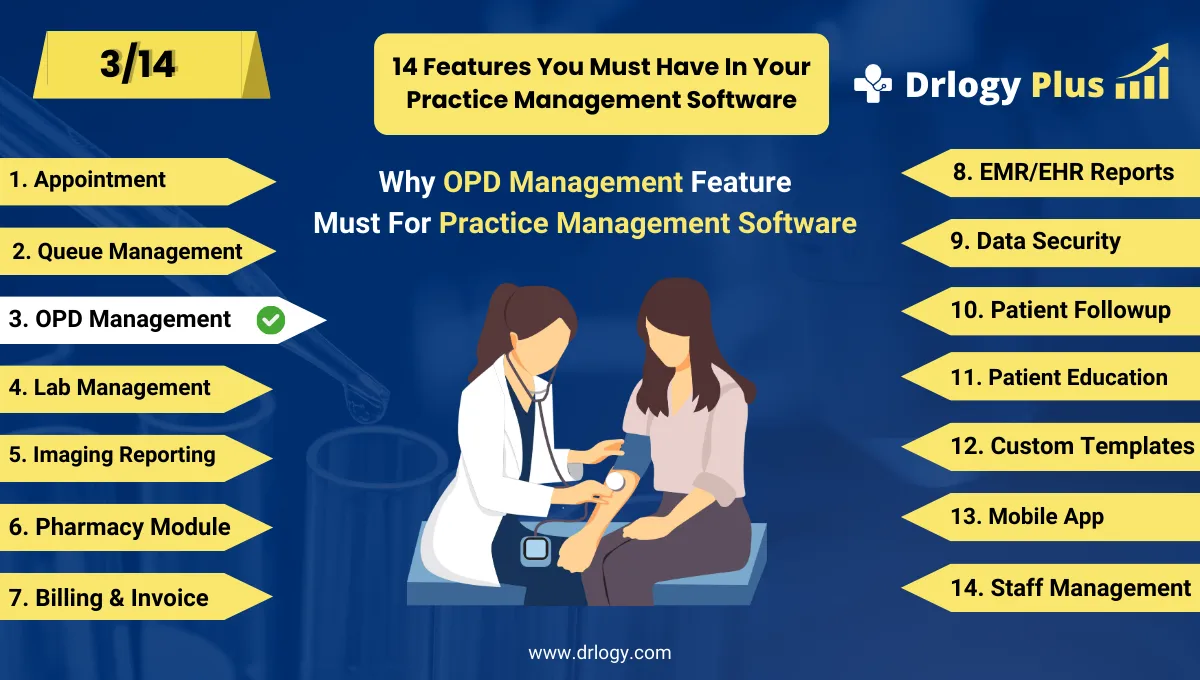
Drlogy Practice Management Software Features
Here are 14 basic features for Drlogy Practice Management Software.
Summary
Overall, OPD Management in Practice Management Software does more than organize visits — it integrates records, simplifies consultations, improves billing, and enhances patient care while optimizing clinic efficiency.
Check Drlogy Practice Management Software Features Guide helps to support for General Practice (GP) clinics & hospitals to manage patient care with precision, from consultation to follow-up.