Drlogy
Healthcare organization
How Appointment Booking Feature Enhances Practice Management Software
Efficient appointment booking is the backbone of any healthcare practice.
Check:
Best Practice Management Software For General Practice (GP) Clinics & Hospitals
An integrated Appointment Booking feature in Practice Management Software streamlines scheduling, reduces errors, and ensures patients receive timely care while optimizing staff productivity.
10 Ways Appointment Booking Supports Practice Management Software
Here are 10 Ways Appointment Booking Supports Practice Management Software.
1. Streamlines Scheduling
- Allows quick booking of appointments for doctors, clinics, and diagnostic services.
- Minimizes double-booking or scheduling conflicts.
- Makes appointment management fast and error-free.
- Improves clinic workflow and time management.
- Provides real-time availability to staff and patients.
Summary: Organized scheduling improves both clinic efficiency and patient experience.
2. Reduces Patient Waiting Time
- Allocates precise time slots for each patient.
- Prevents overcrowding at the clinic.
- Enhances patient satisfaction with shorter queues.
- Keeps doctors’ schedules balanced.
- Improves overall service delivery.
Summary: Proper scheduling ensures patients are seen on time, without unnecessary delays.
3. Enables Online and Offline Booking
- Patients can schedule appointments via website, app, or call.
- Offers convenience for both tech-savvy and traditional users.
- Provides flexibility in managing appointments remotely.
- Reduces reliance on manual staff entries.
- Ensures round-the-clock booking options.
Summary: Multi-channel booking options make healthcare access simple and modern.
4. Automates Appointment Reminders
- Sends reminders through SMS, email, or WhatsApp.
- Reduces no-shows and last-minute cancellations.
- Helps patients stay committed to their care plans.
- Improves doctor utilization rates.
- Saves administrative time spent on manual follow-ups.
Summary: Automated reminders keep schedules full and running smoothly.
5. Integrates With Patient Records
- Links appointmentsectly to patient medical histories.
- Ensures doctors have complete data before consultations.
- Reduces time spent searching for files.
- Improves accuracy of treatment planning.
- Creates a seamless workflow between booking and care delivery.
Summary: Appointment data integration supports informed, efficient consultations.
6. Optimizes Staff Workload
- Allows equitable distribution of patients among doctors and staff.
- Highlights busy and free slots for better planning.
- Prevents burnout by managing patient flow.
- Makes front-desk operations more efficient.
- Helps the clinic maintain service quality throughout the day.
Summary: Balanced scheduling leads to happier staff and smoother operations.
7. Supports Telemedicine and In-Clinic Visits
- Lets patients choose between virtual or physical consultations.
- Schedules video callsectly within the software.
- Expands the reach of healthcare services.
- Maintains clear records for both types of appointments.
- Improves patient convenience and accessibility.
Summary: Flexible booking supports both in-person and remote care delivery.
8. Provides Analytics on Appointment Trends
- Tracks patient inflow patterns.
- Identifies peak times and low-traffic hours.
- Helps allocate resources efficiently.
- Guides marketing or outreach strategies.
- Improves decision-making for clinic growth.
Summary: Appointment data gives managers insights to plan better services.
9. Enables Easy Rescheduling and Cancellations
- Allows staff and patients to modify bookings with ease.
- Reduces confusion over last-minute changes.
- Keeps appointment slots efficiently utilized.
- Improves flexibility without creating chaos.
- Enhances patient satisfaction with quick adjustments.
Summary: Flexible scheduling adapts to patient and clinic needs effortlessly.
10. Enhances Patient Experience and Loyalty
- Makes booking quick, simple, and stress-free.
- Shows professionalism and organization.
- Builds trust by ensuring patients are always accommodated.
- Encourages repeat visits and referrals.
- Strengthens the overall image of the practice.
Summary: A seamless booking process improves patient retention and clinic reputation.
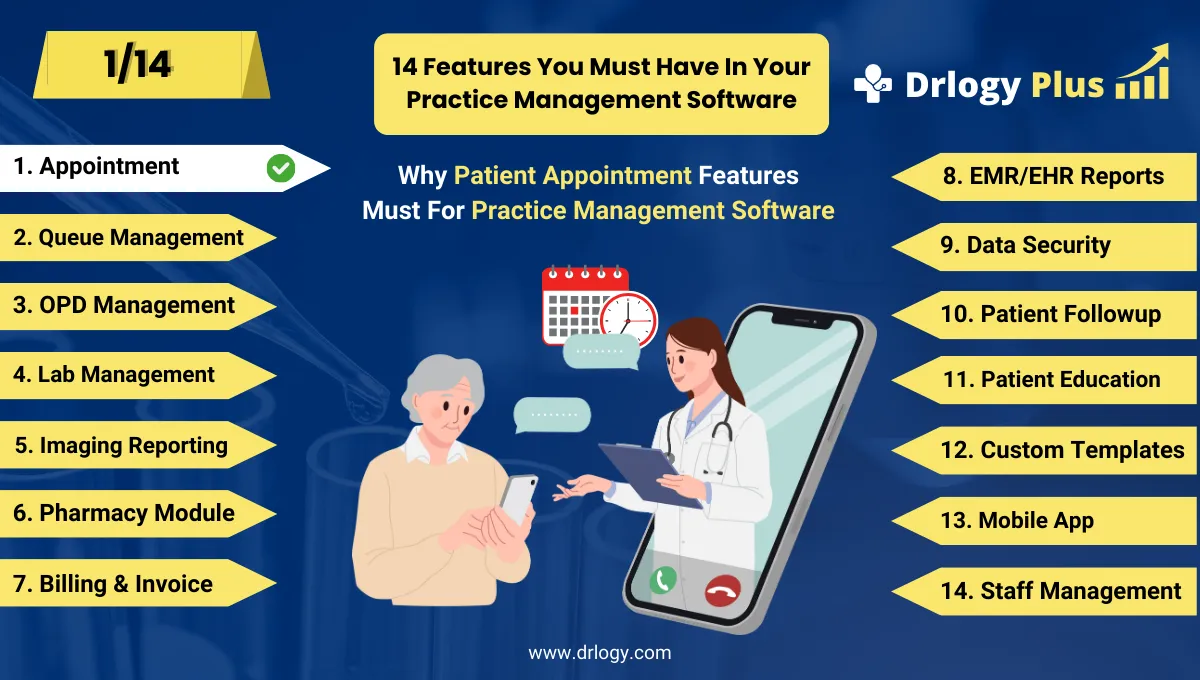
Drlogy Practice Management Software Features
Here are 14 basic features for Drlogy Practice Management Software.
Summary
Overall, Appointment Booking in Practice Management Software does more than fill a calendar — it reduces waiting times, prevents scheduling chaos, supports telemedicine, and enhances patient satisfaction while improving clinic efficiency.
Check Drlogy Practice Management Software Features Guide helps to support for General Practice (GP) clinics & hospitals to manage patient care with precision, from consultation to follow-up.