Drlogy
Healthcare organization
How Custom Templates Feature Streamlines Practice Management Software
Custom templates in practice management software allow clinics to create tailored forms, reports, and communication formats that match their workflow.
Check:
Best Practice Management Software For General Practice (GP) Clinics & Hospitals
Instead of wasting time on repetitive tasks, doctors and staff can rely on pre-designed templates for prescriptions, reports, consent forms, and patient communication. This improves efficiency, accuracy, and patient satisfaction.
10 Way Custom Templates Support Practice Management Software
Here are 10 Way Custom Templates Support Practice Management Software.
1. Saves Time in Documentation
- Templates reduce repetitive writing for doctors.
- Ready-made forms for prescriptions, certificates, or notes.
- Minimizes manual data entry for staff.
- Faster patient consultations.
- Boosts clinic productivity.
Summary: Templates save time and speed up documentation.
2. Enhances Accuracy
- Reduces the risk of errors in prescriptions and reports.
- Standardized fields ensure complete data entry.
- Avoids missed details in clinical documentation.
- Improves patient safety.
- Builds professional credibility.
Summary: Accuracy improves with structured and error-free templates.
3. Personalizes Patient Communication
- Customizable templates for follow-up messages.
- Personalized health tips and reminders.
- Tailored patient education leaflets.
- Builds stronger patient-doctor relationships.
- Improves patient trust and loyalty.
Summary: Templates personalize and improve patient engagement.
4. Standardizes Clinical Workflow
- Ensures uniformity across staff documentation.
- Maintains consistency in medical notes.
- Standard formats for all reports and prescriptions.
- Reduces confusion among team members.
- Creates a professional, organized practice.
Summary: Templates ensure consistent and standardized clinical practices.
5. Supports Specializations
- Custom templates for different specialties (ENT, ortho, gynae, etc.).
- Tailored diagnostic forms for specific conditions.
- Specialty-specific treatment protocols.
- Easier to manage multi-specialty clinics.
- Improves specialized patient care.
Summary: Templates adapt to every medical specialty with ease.
6. Improves Patient Experience
- Clear and professional reports enhance patient trust.
- Easy-to-read prescription formats.
- Transparent communication through standard templates.
- Patients receive consistent documents.
- Increases satisfaction and confidence in the clinic.
Summary: Better templates improve patients’ overall experience.
7. Simplifies Administrative Tasks
- Templates for billing and invoices.
- Pre-designed formats for consent forms and referrals.
- Reduces workload for administrative staff.
- Minimizes mistakes in financial documents.
- Streamlines clinic operations.
Summary: Admin staff work faster and with fewer errors using templates.
8. Boosts Compliance & Legal Safety
- Templates include mandatory consent fields.
- Ensures compliance with medical regulations.
- Helps avoid missing legal documentation.
- Provides accurate records for audits.
- Protects clinic against liability risks.
Summary: Templates strengthen compliance and legal documentation.
9. Encourages Digital Adoption
- Pre-designed digital forms replace manual paperwork.
- Patients can fill forms online before visits.
- Easy integration with telemedicine and online portals.
- Reduces paper usage and storage issues.
- Modernizes clinic management.
Summary: Digital templates encourage paperless and smarter healthcare.
10. Supports Growth & Scalability
- Easy to replicate templates across multiple branches.
- Standardized documentation in expanding clinics.
- Reduces staff training time.
- Maintains brand consistency in patient interactions.
- Supports scaling without losing quality.
Summary: Templates help practices grow efficiently with consistent quality.
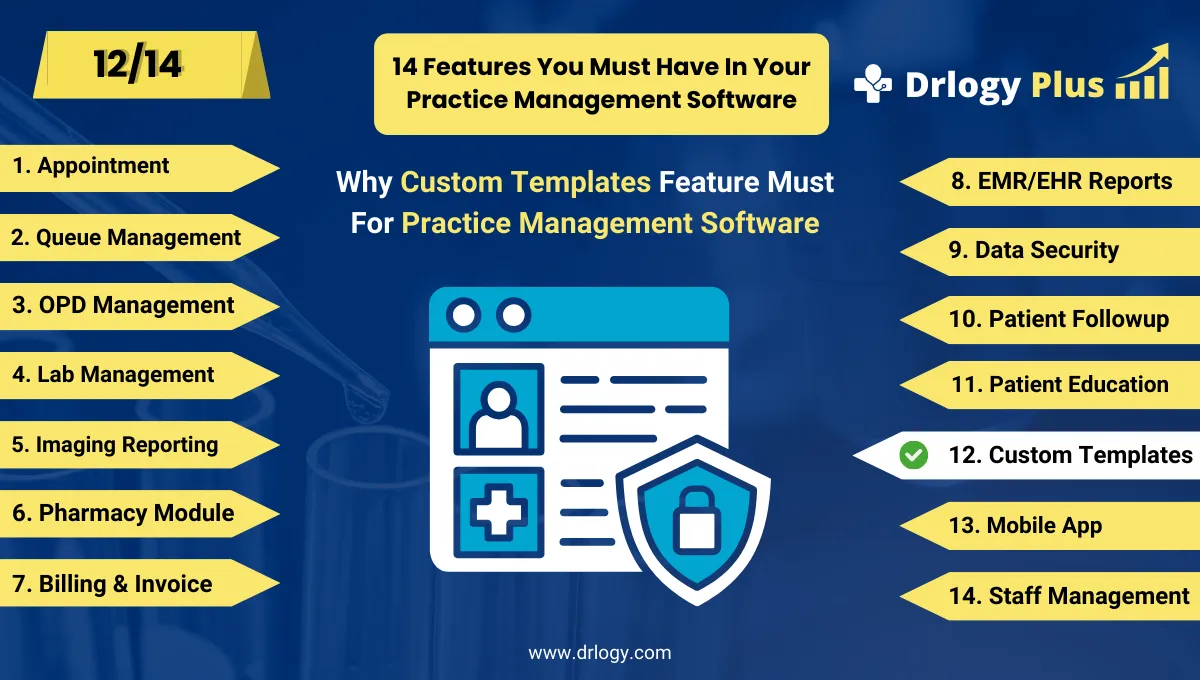
Drlogy Practice Management Software Features
Here are 14 basic features for Drlogy Practice Management Software.
Summary
Overall, Custom templates in practice management software streamline documentation, enhance accuracy, personalize patient interactions, and ensure compliance. By saving time and standardizing processes, they not only improve patient satisfaction but also support long-term clinic growth.
Check Drlogy Practice Management Software Features Guide helps to support for General Practice (GP) clinics & hospitals to manage patient care with precision, from consultation to follow-up.