Drlogy
Healthcare organization
How Staff Management Feature Simplifies Oncologist Software Operations
Oncology clinics and cancer centers require highly coordinated care from multidisciplinary teams—doctors, nurses, lab technicians, radiologists, counselors, and administrative staff.
Check:
The Staff Management feature in Oncologist Software ensures streamlined operations, organized responsibilities, and efficient collaboration for patient-centered cancer care.
10 Way Staff Management Feature Supports Oncologist Software
Here are 10 Way Staff Management Feature Supports Oncologist Software.
1. Assigns Clears and Responsibilities
- Creates specific staffs (e.g., oncology nurse, lab technician, radiation assistant).
- Defines access control for EMRs, prescriptions, or billing modules.
- Prevents overlap, duplication, or missed tasks.
- Improves accountability within teams.
- Supports compliance with cancer care protocols.
Clear staffs promote smooth functioning and reduce clinical confusion.
2. Optimizes Scheduling and Shift Management
- Plans shift rotations for nurses, doctors, and support staff.
- Balances workload across inpatient, outpatient, chemo, and radiation units.
- Minimizes staff burnout and patient wait times.
- Tracks staff availability for emergencies or weekend coverage.
- Enhances round-the-clock patient care delivery.
Smart scheduling ensures continuous, coordinated care in oncology practice.
3. Improves Communication and Coordination
- Allows internal messaging or task assignments between departments.
- Keeps oncologists, pathologists, and support staff aligned.
- Reduces delays in biopsy reporting, treatment planning, or discharge processing.
- Facilitates smooth communication during complex cancer cases.
- Ensures timely information flow.
Centralized coordination leads to better teamwork and faster cancer care delivery.
4. Tracks Staff Performance and Productivity
- Monitors task completion rates, patient interactions, or report timelines.
- Helpsentify bottlenecks or areas needing training.
- Enables performance-based reviews and incentives.
- Assists in maintaining quality benchmarks for each department.
- Supports operational efficiency goals.
Performance tracking helps build a more reliable and high-performing care team.
5. Manages Multi-Department Operations
- Organizes staff across departments like chemotherapy units, radiology, OT, and IPD.
- Enables cross-functional collaboration for tumor boards or treatment meetings.
- Reduces administrative fragmentation in oncology hospitals.
- Simplifies inter-department handovers.
- Increases efficiency in complex care workflows.
Staff integration ensures seamless functioning across multiple cancer care units.
6. Supports Patient-Centric Task Assignment
- Assigns specific patients to individual nurses or case coordinators.
- Tracks counseling sessions, follow-ups, and side-effect management.
- Improves personalized care for long-term cancer patients.
- Ensures that no patient feels neglected during treatment.
- Boosts satisfaction and outcomes.
Personalized staff assignments help deliver empathetic, focused cancer care.
7. Simplifies Leave and Attendance Tracking
- Records staff attendance, leaves, and shift swaps digitally.
- Alerts management for backup support when someone is off.
- Prevents manpower shortages during peak clinic hours.
- Reduces manual HR work and paperwork.
- Helps maintain consistent patient care even with staff changes.
Automated attendance ensures uninterrupted cancer care operations.
8. Improves Onboarding and Staff Training
- Assigns digital SOPs, protocols, or-specific learning modules.
- Tracks training status for new hires or interns.
- Ensures all staff follow cancer-specific procedures and hygiene standards.
- Helps in maintaining NABH, JCI, or other quality accreditations.
- Encourages continuous staff development.
Staff management ensures everyone is trained and ready for oncology responsibilities.
9. Enables Access Control and Data Security
- Restricts access to sensitive patient data based on.
- Prevents unauthorized access to EMRs, reports, or billing.
- Logs activity for accountability and audits.
- Ensures compliance with HIPAA or healthcare data regulations.
- Builds patient trust in data privacy.
Secure access management protects cancer patient records and clinic integrity.
10. Streamlines Admin and Payroll Operations
- Links staffs, attendance, and hours to payroll generation.
- Reduces errors in salaries, bonuses, or shift incentives.
- Automates month-end admin work.
- Saves HR time and ensures transparency.
- Improves employee satisfaction and retention.
Efficient admin support leads to a more motivated and well-managed workforce.
Drlogy Oncologist Software Features
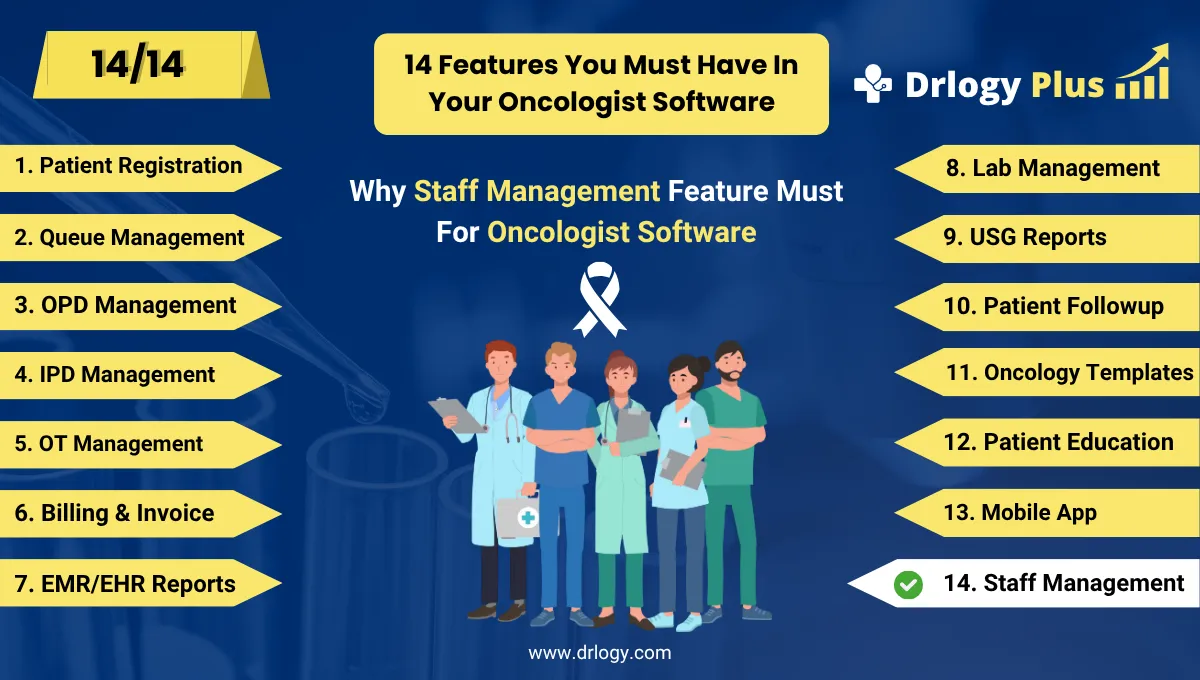
Here are 14 basic features for Drlogy Oncologist Software.
Summary
Overall, The Staff Management feature in Oncologist Software is essential for organized, efficient, and compassionate cancer care delivery.
Check Drlogy Oncologist Software Features Guide streamline oncology clinic management, improve patient flow for cancer related conditions, and enhance overall efficiency in oncology practice for cancer patient.




