Drlogy
Healthcare organization
How Staff Management Feature Simplifies Dermatologist Software
A successful dermatology clinic depends not only on the expertise of the dermatologist but also on the efficiency of the supporting staff—receptionists, assistants, nurses, and therapists.
Check:
Best Dermatologist Software For Dermatology Clinics & Hospitals
A dedicated Staff Management feature within Dermatologist Software helps streamline clinic operations, reduce human error, and enhance overall patient experience through better staff coordination and accountability.
10 Ways Staff Management Feature Aids Dermatologist Software
Here are 10 Ways Staff Management Feature Aids Dermatologist Software.
1. Tracks Staffs and Responsibilities
- Assigns clears to each staff member (receptionist, therapist, nurse, billing, etc.).
- Prevents task duplication or overlap.
- Helps streamline duties in high-volume or multi-branch clinics.
- Improves clarity in task delegation.
- Boosts overall operational efficiency.
Role-based access improves accountability and workflow clarity.
2. Monitors Attendance and Working Hours
- Logs daily check-ins and check-outs digitally.
- Tracks shift timing, late arrivals, and absences automatically.
- Helps in scheduling staff rotations efficiently.
- Reduces manual time-tracking errors.
- Supports accurate payroll calculation.
Digital attendance tracking simplifies HR and improves time discipline.
3. Improves Internal Communication
- Allows secure messaging between staff and doctors within the software.
- Reduces miscommunication over appointments, reports, or patient prep.
- Supports better coordination during peak clinic hours.
- Enhances collaboration between departments.
- Keeps the entire team updated in real time.
Seamless staff communication leads to better patient coordination.
4. Supports Performance Tracking
- Measures staff productivity based on appointments handled, tasks completed, or reports managed.
- Identifies high-performing team members or areas needing improvement.
- Encourages a performance-driven culture.
- Useful for internal reviews and incentives.
- Boosts clinic output.
Performance metrics help optimize clinic efficiency and motivate staff.
5. Reduces Administrative Overload
- Automates tasks like scheduling, reminders, duty allocations, and leave approvals.
- Frees up time for front-desk staff to focus on patient care.
- Centralizes staff data for easy access and updates.
- Minimizes errors and manual follow-ups.
- Streamlines clinic operations.
Automation reducs human error and simplifies staff coordination.
6. Helps Manage Staff Leave and Availability
- Tracks leave requests, approvals, and absences.
- Avoids understaffing by planning replacements in advance.
- Aligns schedules to ensure consistent clinic functioning.
- Increases transparency and staff satisfaction.
- Prevents appointment disruptions due to unplanned leaves.
Leave management tools ensure uninterrupted dermatology services.
7. Enhances Patient Experience
- Well-coordinated staff leads to faster check-ins, reduced wait time, and better assistance.
- Ensures smooth flow across reception, consultation, and billing.
- Patients experience more organized and professional service.
- Boosts patient satisfaction and loyalty.
- Reflects positively in online reviews.
Efficient staff = better patient journey and stronger clinic branding.
8. Improves Billing and Front-Desk Accuracy
- Assigns billing responsibilities to trained personnel.
- Monitors who created or modified bills, invoices, or prescriptions.
- Minimizes billing errors and improves financial accuracy.
- Supports accountability in revenue cycle management.
- Helps detect and prevent internal discrepancies.
Staff-linked billing operations enhance financial transparency.
9. Boosts Security and Access Control
- Allows-based access to sensitive data (e.g., financials, EMRs, prescriptions).
- Ensures only authorized staff can view or modify certain records.
- Protects patient data and clinic confidentiality.
- Complies with data protection laws.
- Reduces risk of misuse or unauthorized access.
Access control protects your clinic’s operations and patient trust.
10. Supports Multi-Branch and Multi-Doctor Clinics
- Allows assigning staff to specific doctors, rooms, or branches.
- Facilitates better scheduling across different locations.
- Helps manage larger teams and patient volumes.
- Centralized dashboard helps owners monitor staff activities across clinics.
- Scalable for clinic growth.
Scalable staff management supports clinic expansion and multi-location success.
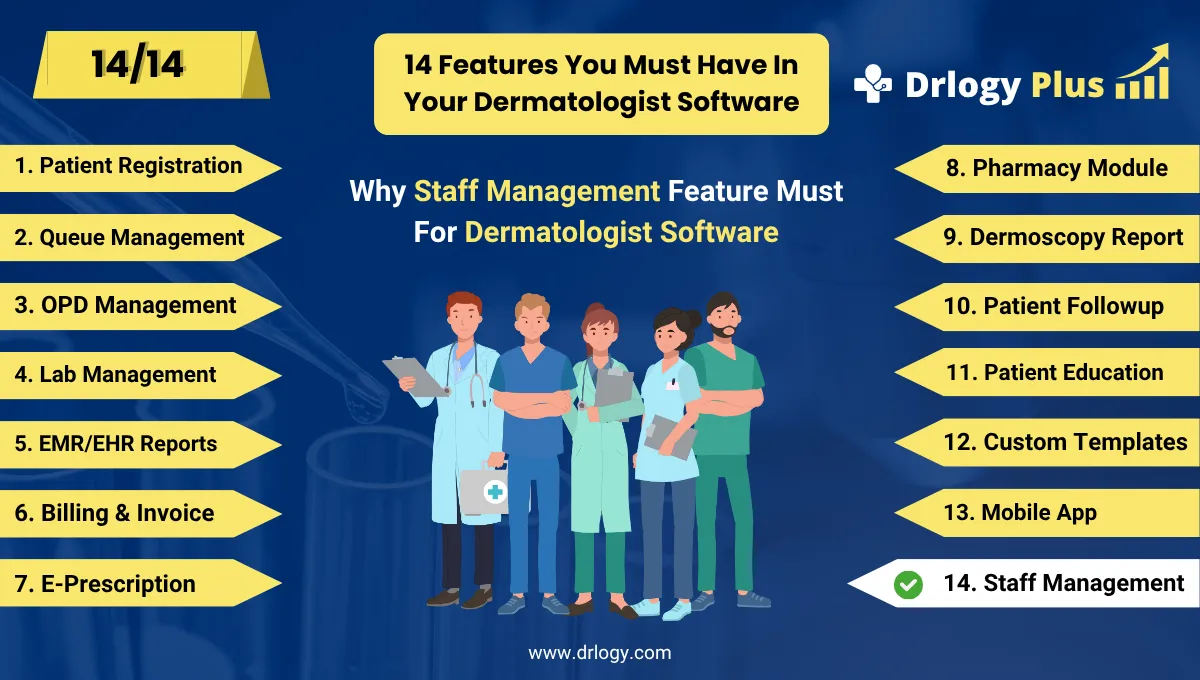
Drlogy Dermatologist Software Features
Here are 14 basic features for Drlogy Dermatologist Software.
Summary
Overall, Staff Management feature in Dermatologist Software plays a vital in improving clinic efficiency, team accountability, and patient service quality.
Check Drlogy Dermatologist Software Features Guide helps in dermatology clinic management, improve patient flow for hair and skincare related conditions, and enhance overall efficiency in dermatology practice.