Drlogy
Healthcare organization
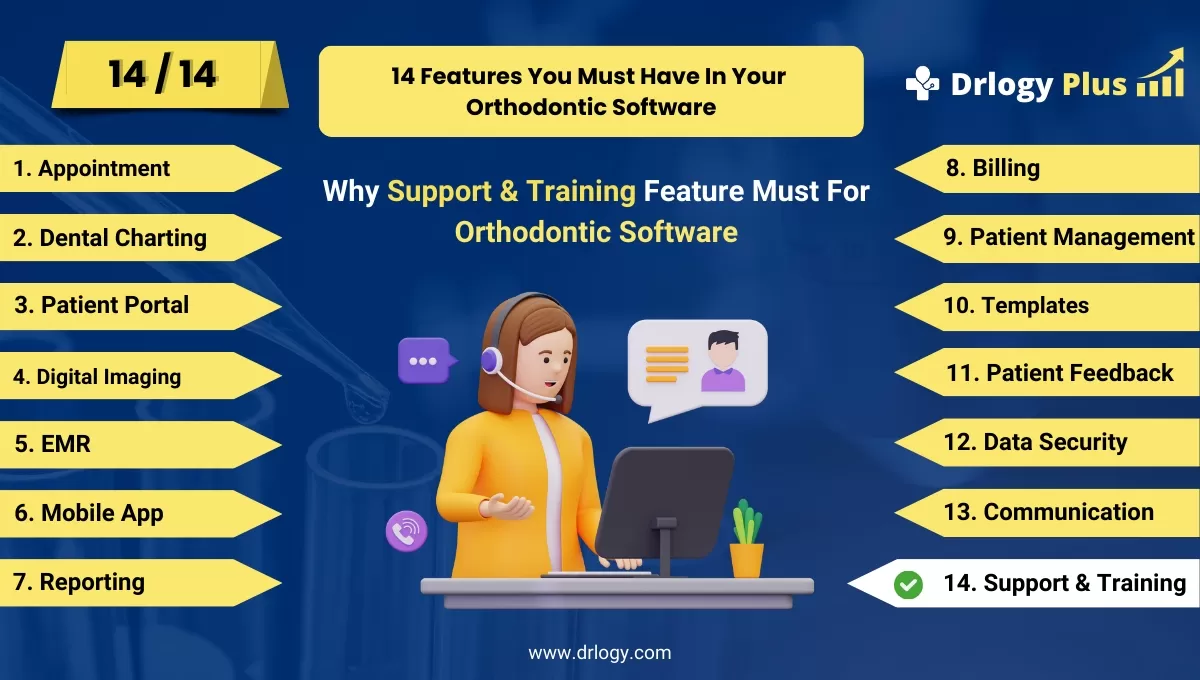
Why Support & Training Feature Must In Orthodontic Software
Robust support and training features in orthodontic software are essential for ensuring smooth adoption and efficient use.
Check:
With ongoing guidance and personalized training, clinics can maximize software potential and improve workflow management.
10 Best Support & Training Features for Orthodontic Software
Check 10 Best Support & Training Features for Orthodontic Software.
1. 24/7 Customer Support
- Offer round-the-clock support to address urgent issues or queries.
- Provide multiple support channels, including phone, chat, and email.
- Ensure quick response times to minimize disruptions in clinic operations.
- Enhance user confidence with reliable access to assistance at any time.
- Improve software adoption by providing continuous guidance.
2. Comprehensive Knowledge Base
- Maintain an online library of guides, FAQs, and troubleshooting articles.
- Provide step-by-step instructions for common software tasks.
- Keep resources updated with the latest software features and changes.
- Allow users to resolve minor issues on their own without waiting for support.
- Empower staff with self-paced learning tools to improve efficiency.
3. Live Webinars and Training Sessions
- Offer live, interactive training sessions led by experts.
- Cover key features, best practices, and software updates.
- Allow staff to ask questions in real-time for better understanding.
- Record sessions for future reference and team training.
- Keep teams informed and proficient with ongoing learning opportunities.
4. Onboarding and Setup Assistance
- Provide personalized setup and configuration support during initial implementation.
- Assign dedicated specialists to guide clinics through software integration.
- Minimize downtime by ensuring a smooth transition from old systems.
- Offer step-by-step walkthroughs of critical features and workflows.
- Increase user confidence with tailored onboarding experiences.
5. In-App Tutorials and Walkthroughs
- Integrate tutorialsectly within the software for real-time learning.
- Guide users through tasks as they navigate the platform.
- Offer interactive help to ensure quick mastery of essential features.
- Improve user retention by making training accessible during actual use.
- Allow staff to learn at their own pace without external resources.
6. Dedicated Account Managers
- Assign an account manager for personalized, ongoing support.
- Provide tailored solutions for clinic-specific needs and challenges.
- Build a long-term relationship for continuous software optimization.
- Offer proactive advice on feature usage and updates.
- Serve as aect point of contact for high-priority concerns.
7. Tutorials and On-Demand Training
- Provide access to a library of tutorials covering all aspects of the software.
- Allow users to learn new features or refresh knowledge at any time.
- Simplify complex tasks with visual demonstrations.
- Cater to different learnings by offering written resources.
- Keep training accessible for new and existing staff alike.
8. Regular Software Updates with Release Notes
- Keep users informed about new features, bug fixes, and enhancements.
- Provide clear instructions on how to use new tools after updates.
- Offer support materials for major updates to minimize confusion.
- Ensure software remains current with orthodontic industry trends and needs.
- Enhance long-term user satisfaction with constant improvements.
9. User Community and Forums
- Create a space for users to ask questions and share experiences.
- Facilitate peer-to-peer learning through user discussions.
- Allow staff to explore best practices from other clinics using the software.
- Strengthen the user network by encouraging collaboration and knowledge sharing.
- Offer an additional support layer outside official channels.
10. Customizable Training Programs
- Tailor training programs based on the clinic’s specific workflow and needs.
- Offer hands-on training sessions for complex features like reporting and data analysis.
- Provide-specific training for different team members, such as administrators and clinical staff.
- Ensure that training covers real-world scenarios for improved retention.
- Help clinics maximize the software's potential with in-depth, focused sessions.
Drlogy Orthodontic Software Features Guide
Here's a full guide for the 14 best Orthodontic Software features.
| 1. Appointment | 8. Billing |
| 2. Dental Charting | 9. Patient Management |
| 3. Patient Portal | 10. Customizable Templates |
| 4. Digital Imaging | 11. Patient Feedback |
| 5. EMR | 12. Data Security |
| 6. Mobile App | 13. Communication & Sharing |
| 7. Reporting | 14. Support & Training |
Summary
Overall, These support and training features ensure that orthodontic software users can navigate the platform effectively, maximizing productivity and enhancing the overall experience for both staff and patients.
Check Drlogy Orthodontic Software Features Guide for offers comprehensive efficient patient management in dental practice management.