Drlogy
Healthcare organization
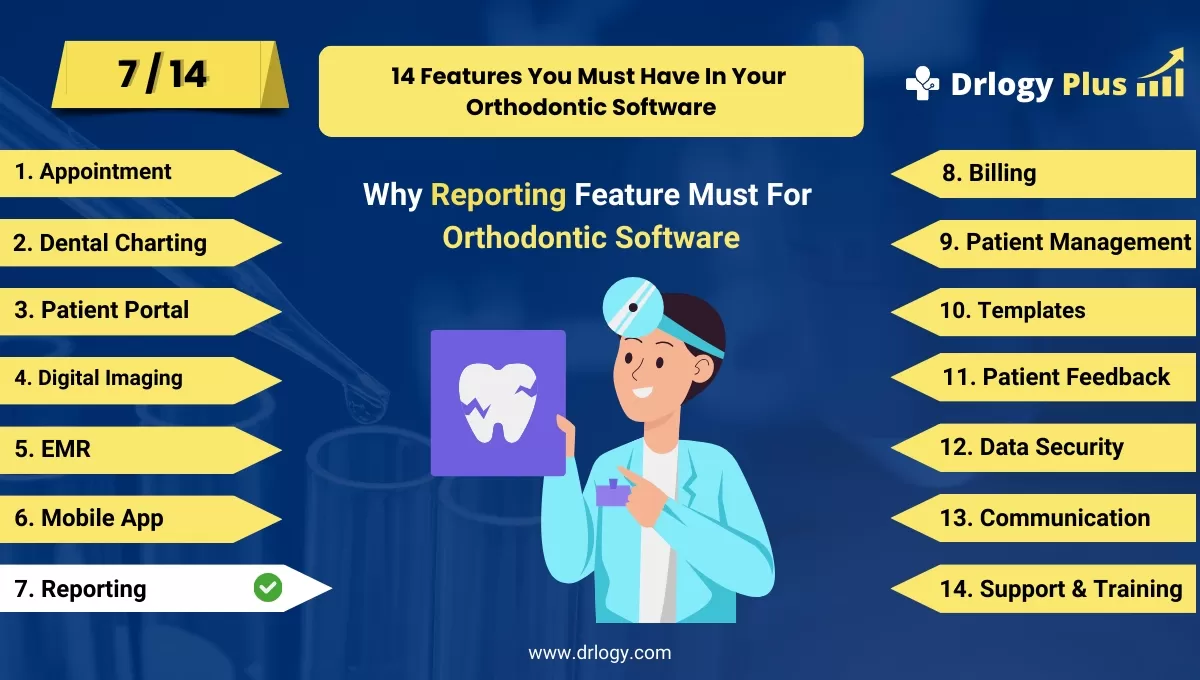
Why Reporting Feature Must In Orthodontic Software
Effective reporting features in orthodontic software are essential for tracking clinic performance, improving patient care, and ensuring compliance.
Check:
These features provide valuable insights, streamline operations, and support informed decision-making for better overall clinic management.
10 Best Reporting Features for Orthodontic Software
Check 10 Best Reporting Features for Orthodontic Software.
1. Customizable Reports
- Generate reports tailored to the clinic’s specific needs.
- Include patient treatment histories, financial summaries, and appointment trends.
- Customize fields and data points for more relevant insights.
- Ensure flexibility with different report formats (PDF, Excel, etc.).
- Save time with templates for commonly used reports.
2. Automated Report Generation
- Schedule automated reports for daily, weekly, or monthly delivery.
- Minimize manual report creation by setting up recurring reports.
- Ensure timely data analysis with regularly updated reports.
- Reduce human errors through automation.
- Improve clinic performance by monitoring trends consistently.
3. Treatment Progress Reports
- Track the progress of each patient's orthodontic treatment.
- Provide clear, visual progress updates with graphs and charts.
- Compare planned vs. actual progress for better treatment adjustments.
- Share progress reports with patients to keep them informed.
- Ensure better clinical outcomes by monitoring patient compliance.
4. Financial Reporting
- Track clinic revenues, expenses, and overall financial health.
- Generate detailed billing, payment, and outstanding balance reports.
- Help clinic management assess financial performance over time.
- Provide insights for improving profitability and reducing costs.
- Facilitate better budgeting and financial planning for the clinic.
5. Appointment and Scheduling Reports
- Analyze patient appointment trends and scheduling efficiency.
- Identify peak times for appointments to optimize staff availability.
- Reduce no-shows with missed appointment tracking.
- Provide insights for improving patient flow and reducing wait times.
- Enhance overall clinic efficiency by managing appointment data.
6. Referral Tracking Reports
- Track referrals from general dentists and other specialists.
- Analyze which referral sources generate the most patients.
- Provide insights for strengthening referral relationships.
- Evaluate the impact of referral programs on patient inflow.
- Improve marketing efforts by focusing on high-value referral sources.
7. Compliance and Legal Reporting
- Generate reports to ensure compliance with healthcare regulations.
- Track consent forms, treatment approvals, and legal documentation.
- Automatically compile necessary information for audits or legal purposes.
- Ensure all patient data is securely recorded and stored.
- Protect the clinic from legal risks through accurate reporting.
8. Patient Satisfaction Reports
- Measure patient feedback through surveys and ratings.
- Analyze satisfaction trends to improve the patient experience.
- Identify areas where the clinic can enhance care or service.
- Use feedback to improve communication and treatment processes.
- Track improvement efforts over time with continuous patient feedback.
9. Inventory Management Reports
- Track the usage of orthodontic supplies and equipment.
- Generate reports on stock levels, order histories, and supply costs.
- Ensure the clinic remains well-stocked with critical items.
- Optimize inventory purchases based on usage trends.
- Avoid overstocking or shortages with real-time inventory insights.
10. Data Security and Access Reports
- Monitor who accesses sensitive patient information.
- Ensure compliance with data protection regulations through access tracking.
- Provide audit trails for internal and external security reviews.
- Identify potential security breaches or unauthorized access.
- Maintain transparency and trust by ensuring data is handled securely.
Drlogy Orthodontic Software Features Guide
Here's a full guide for the 14 best Orthodontic Software features.
| 1. Appointment | 8. Billing |
| 2. Dental Charting | 9. Patient Management |
| 3. Patient Portal | 10. Customizable Templates |
| 4. Digital Imaging | 11. Patient Feedback |
| 5. EMR | 12. Data Security |
| 6. Mobile App | 13. Communication & Sharing |
| 7. Reporting | 14. Support & Training |
Summary
Overall, These reporting features enhance the orthodontic clinic’s ability to track performance, improve patient care, and ensure compliance, leading to better decision-making and overall clinic success.
Check Drlogy Orthodontic Software Features Guide for offers comprehensive efficient patient management in dental practice management.