Drlogy
Healthcare organization
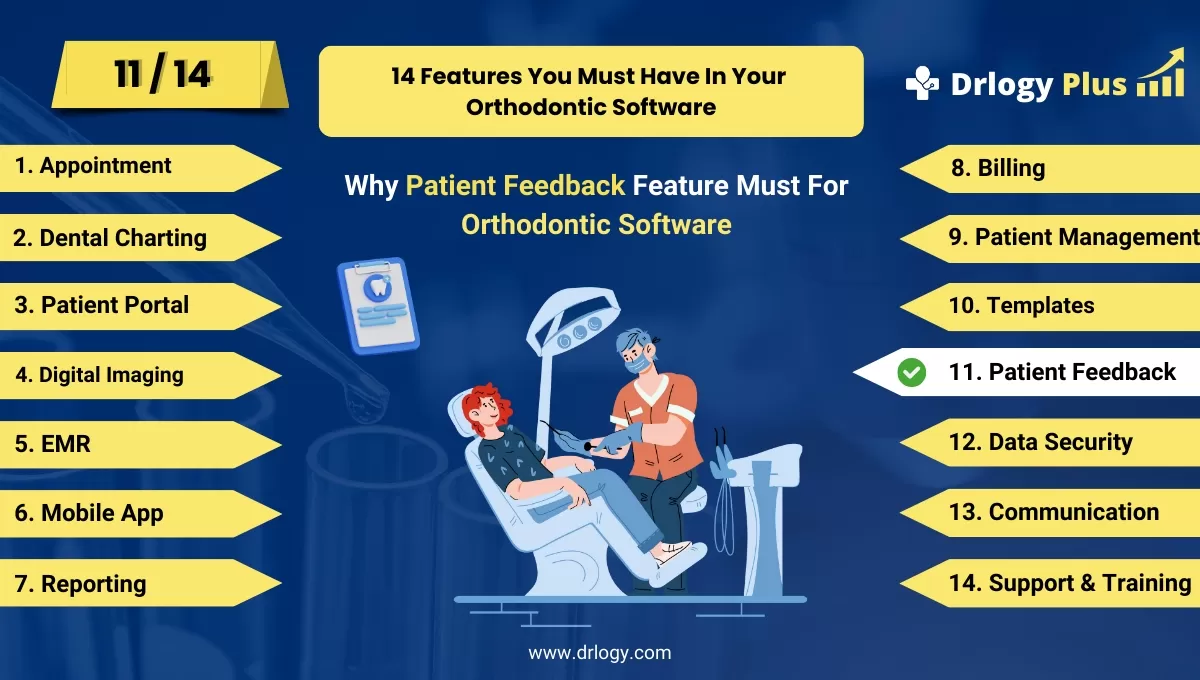
Why Patient Feedback Feature Must In Orthodontic Software
Patient feedback features in orthodontic software are crucial for understanding patient experiences andentifying areas for improvement in care delivery.
Check:
By actively soliciting and analyzing feedback, clinics can enhance service quality, foster patient engagement, and ultimately build stronger relationships with their patients.
10 Best Patient Feedback Features for Orthodontic Software
Check 10 Best Patient Feedback Features for Orthodontic Software.
1. Automated Survey Distribution
- Automatically send feedback surveys to patients after appointments or treatments.
- Schedule surveys based on treatment completion to gather timely feedback.
- Reduce administrative burden by automating the distribution process.
- Increase response rates by sending reminders to patients who haven’t completed surveys.
- Capture real-time insights into patient experiences and satisfaction levels.
2. Customizable Survey Templates
- Create tailored survey templates that align with specific treatments or services.
- Include questions relevant to the patient’s recent experience, such as wait times, staff interactions, and treatment satisfaction.
- Allow clinics to adjust questions based on their unique focus areas and objectives.
- Facilitate easy updates to templates as the clinic’s services evolve.
- Enhance the relevance of feedback collected to drive actionable insights.
3. Multiple Feedback Channels
- Offer various ways for patients to provide feedback, including online surveys, SMS, and in-office tablets.
- Enable patients to choose their preferred method of communication for convenience.
- Facilitate immediate feedback through quick-response options for urgent concerns.
- Encourage patient participation by making feedback easy and accessible.
- Collect comprehensive data on patient sentiments across different platforms.
4. Real-Time Feedback Monitoring
- Allow clinic staff to monitor patient feedback as it comes in, providing immediate insights.
- Use dashboards to visualize feedback trends andentify areas for improvement.
- Respond quickly to any negative feedback or concerns raised by patients.
- Foster a culture of responsiveness within the clinic by addressing issues promptly.
- Enhance overall patient satisfaction by demonstrating that their feedback is valued.
5. Patient Satisfaction Scoring
- Implement scoring systems (e.g., Net Promoter Score) to quantify patient satisfaction levels.
- Use scores to benchmark performance and track improvements over time.
- Identify trends and areas of concern that may require attention.
- Share satisfaction scores with the clinic team to promote accountability.
- Drive improvements based on quantifiable data to enhance patient experiences.
6. Feedback Analysis and Reporting
- Generate detailed reports analyzing patient feedback data and trends.
- Identify common themes or recurring issues to inform clinic strategies.
- Utilize data to prioritize areas for improvement and enhance service quality.
- Present feedback reports in an easy-to-understand format for staff discussions.
- Support decision-making to improve patient care and clinic operations.
7. Incentives for Feedback Participation
- Offer incentives, such as discounts or loyalty points, to encourage patient feedback.
- Enhance participation rates by providing tangible rewards for completing surveys.
- Foster a sense of appreciation among patients for their time and input.
- Utilize incentives strategically to gather insights on specific services or experiences.
- Create a positive feedback loop that encourages ongoing patient engagement.
8. Open-Ended Feedback Options
- Include open-ended questions in surveys to gather qualitative insights.
- Allow patients to express their thoughts and experiences in their own words.
- Capture specific feedback that may not be addressed in structured questions.
- Use qualitative data toentify unique patient concerns or suggestions.
- Analyze open-ended responses for deeper understanding and actionable insights.
9. Patient Feedback Dashboard
- Provide clinic staff with a centralized dashboard for accessing patient feedback.
- Display key metrics, trends, and areas needing attention in one easy-to-navigate platform.
- Enable staff to filter feedback by date, treatment type, or patient demographics.
- Enhance collaboration and discussion among team members regarding feedback insights.
- Promote transparency and accountability in addressing patient concerns.
10. Follow-Up Communication
- Implement follow-up processes for addressing patient feedback and concerns.
- Reach out to patients who provided negative feedback to discuss resolutions.
- Show patients that their opinions matter by keeping them informed of changes made based on their input.
- Encourage ongoing dialogue between the clinic and patients for continuous improvement.
- Build trust and strengthen relationships with patients by demonstrating responsiveness.
Drlogy Orthodontic Software Features Guide
Here's a full guide for the 14 best Orthodontic Software features.
| 1. Appointment | 8. Billing |
| 2. Dental Charting | 9. Patient Management |
| 3. Patient Portal | 10. Customizable Templates |
| 4. Digital Imaging | 11. Patient Feedback |
| 5. EMR | 12. Data Security |
| 6. Mobile App | 13. Communication & Sharing |
| 7. Reporting | 14. Support & Training |
Summary
Overall, These patient feedback features empower orthodontic practices to gather valuable insights, enhance service quality, and create a more patient-centered approach, ultimately leading to improved patient satisfaction and loyalty.
Check Drlogy Orthodontic Software Features Guide for offers comprehensive efficient patient management in dental practice management.