Drlogy
Healthcare organization
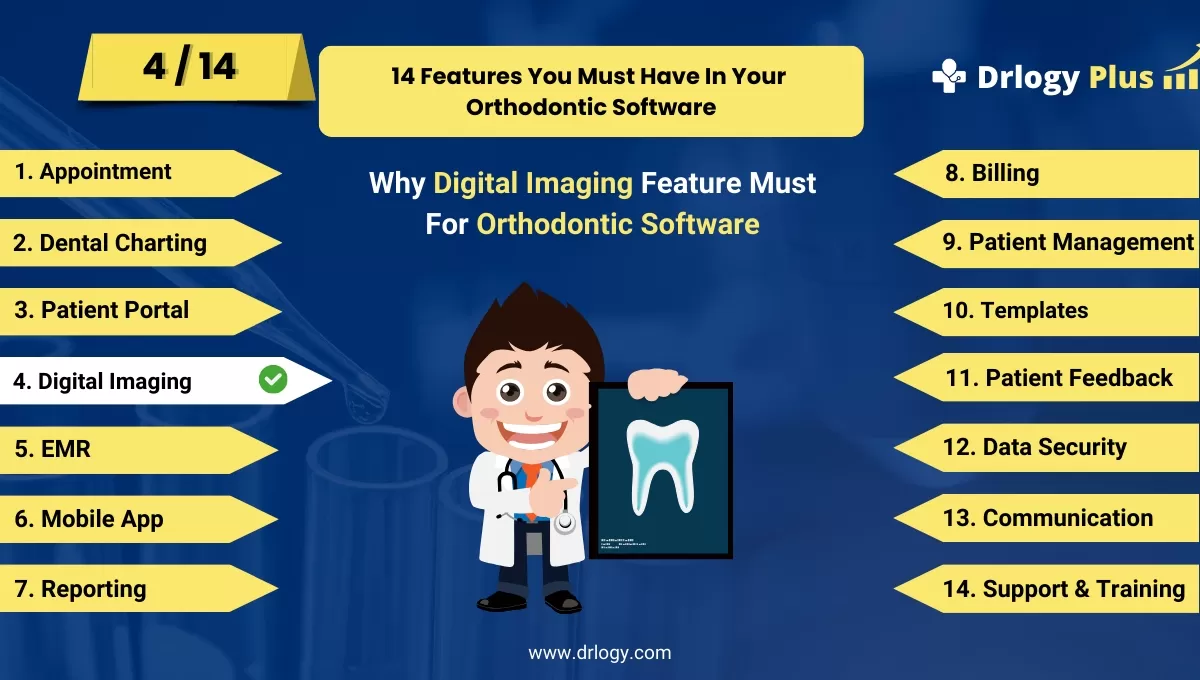
Why Digital Imaging Feature Must In Orthodontic Software
Digital imaging features in orthodontic software are essential for enhancing diagnostic accuracy and streamlining treatment planning.
Check:
By leveraging advanced imaging technologies, orthodontists can improve patient outcomes, facilitate better communication, and provide personalized care tailored to individual needs.
10 Best Digital Imaging Features for Orthodontic Software
Check 10 Best Digital Imaging Features for Orthodontic Software.
1. High-Resolution Imaging
- Capture and display high-resolution images for detailed analysis and diagnostics.
- Ensure clarity in images to facilitate accurate treatment planning and monitoring.
- Support various imaging modalities, including X-rays, CBCT, and intraoral scans.
- Provide clear visuals for patient consultations and discussions.
- Enhance the quality of imaging for better treatment outcomes.
2. Digital Imaging Capabilities
- Utilize digital imaging to create comprehensive views of patient anatomy.
- Aid in the evaluation of complex cases and treatment planning.
- Provide enhanced visualization of tooth positioning, root structures, and bone anatomy.
- Facilitate better communication with patients by showcasing digital imaging.
- Support advanced treatment techniques such as digital smile design and aligner therapy.
3. Image Annotation and Markup Tools
- Include tools for annotating and marking up images during consultations.
- Allow practitioners to highlight areas of concern and treatment goals for patients.
- Enhance communication through visual aids that clarify treatment options.
- Save annotated images for future reference and documentation.
- Streamline the workflow by simplifying image editing and notes.
4. Integration with Treatment Plans
- Seamlessly integrate imaging data with treatment planning software.
- Enable clinicians to visualize proposed treatments alongside imaging results.
- Support dynamic adjustments to treatment plans based on imaging feedback.
- Provide a holistic view of the patient’s condition and treatment options.
- Enhance collaboration between team members involved in treatment planning.
5. Image Comparison Features
- Allow for easy comparison of current images with previous ones to track progress.
- Enable side-by-side viewing of before-and-after images for patient consultations.
- Support visual assessments of treatment effectiveness over time.
- Help practitionersentify changes and adjust treatment as necessary.
- Foster informed discussions with patients regarding their progress.
6. Patient-Specific Imaging Libraries
- Create dedicated libraries for storing patient images securely.
- Organize images by date, treatment type, or specific case for easy retrieval.
- Allow for quick access to imaging data during patient visits.
- Ensure compliance with data protection regulations when managing images.
- Streamline the process of documenting and referencing patient history.
7. Cloud-Based Storage Solutions
- Utilize cloud storage for secure and accessible imaging data management.
- Ensure that images are backed up and retrievable from any location.
- Facilitate collaboration with external specialists by sharing imaging files securely.
- Reduce the risk of data loss due to hardware failures.
- Enhance the clinic’s operational efficiency through easy data access.
8. Real-Time Image Sharing
- Enable real-time sharing of images during patient consultations and team discussions.
- Allow for immediate collaboration with specialists or colleagues on complex cases.
- Improve communication between team members through shared visual data.
- Enhance patient engagement by discussing images together during appointments.
- Support timely decision-making based on shared imaging insights.
9. Integration with Treatment Simulation Software
- Connect digital imaging with treatment simulation tools for enhanced visualization.
- Allow patients to see potential treatment outcomes through simulations.
- Improve patient understanding and acceptance of proposed treatments.
- Support orthodontic planning by simulating different treatment scenarios.
- Foster collaborative decision-making between the clinician and patient.
10. Secure Access and Permissions
- Implement-based access controls to protect patient imaging data.
- Ensure that only authorized personnel can view or modify sensitive images.
- Comply with data protection regulations regarding patient privacy and security.
- Maintain patient trust by safeguarding their imaging information.
- Regularly review access permissions to adapt to changes in staffs.
Drlogy Orthodontic Software Features Guide
Here's a full guide for the 14 best Orthodontic Software features.
| 1. Appointment | 8. Billing |
| 2. Dental Charting | 9. Patient Management |
| 3. Patient Portal | 10. Customizable Templates |
| 4. Digital Imaging | 11. Patient Feedback |
| 5. EMR | 12. Data Security |
| 6. Mobile App | 13. Communication & Sharing |
| 7. Reporting | 14. Support & Training |
Summary
Overall, These digital imaging features enhance orthodontic software by providing clinicians with advanced tools for diagnostics, treatment planning, and patient communication, ultimately leading to improved patient outcomes and satisfaction.
Check Drlogy Orthodontic Software Features Guide for offers comprehensive efficient patient management in dental practice management.