Drlogy
Healthcare organization
Why Customizable Templates Feature Must In Orthodontic Software
Customizable templates in orthodontic software are vital for streamlining clinic operations and ensuring personalized communication with patients.
Check:
By enhancing workflow efficiency and maintaining consistency in documentation, these templates contribute significantly to improved patient satisfaction and engagement throughout their treatment journey.
10 Best Customizable Templates Features for Orthodontic Software
Check 10 Best Customizable Templates Features for Orthodontic Software.
1. Customizable Treatment Plans
- Create tailored treatment plans that reflect individual patient needs and preferences.
- Include sections for specific procedures, timelines, and expected outcomes.
- Adjust templates based on different treatment types (e.g., braces, aligners).
- Share customizable plans with patients for better understanding and transparency.
- Facilitate easy updates to treatment plans as patients progress.
2. Personalized Invoices
- Design invoices that align with the clinic's branding, including logos and color schemes.
- Include itemized charges for various services, treatments, and materials.
- Adjust templates for discounts, insurance information, and payment plans.
- Automatically generate invoices based on treatment plans and services rendered.
- Enhance professionalism and clarity in billing communications.
3. Custom Consent Forms
- Develop customizable consent forms for different treatments and procedures.
- Ensure compliance with legal and regulatory requirements through clear wording.
- Include sections for patient questions and additional notes.
- Store signed consent forms electronically within the patient’s profile for easy access.
- Simplify the intake process by streamlining the collection of consent.
4. Patient Communication Templates
- Create standardized email and SMS templates for appointment reminders, confirmations, and follow-ups.
- Personalize communication with patient names and specific treatment details.
- Include customizable messages for different patient segments (e.g., new patients, returning patients).
- Automate sending reminders and notifications to enhance patient engagement.
- Maintain consistency in communication while saving time for staff.
5. Educational Material Templates
- Design templates for educational materials that explain treatment processes and aftercare instructions.
- Customize content based on the specific treatment plan or patient concerns.
- Include visual aids, such as diagrams or infographics, to enhance understanding.
- Share these materials with patients through the patient portal or in-person consultations.
- Foster patient knowledge and compliance through tailored educational content.
6. Progress Report Templates
- Create templates for documenting and sharing patient progress throughout their treatment.
- Include sections for visual comparisons (before-and-after photos) and notes on achievements.
- Customize reports based on the treatment type and patient goals.
- Share progress reports with patients to keep them informed and motivated.
- Enable easy adjustments to reports as treatment plans evolve.
7. Referral Letters and Templates
- Develop customizable referral letter templates for various specialists or dental providers.
- Include patient details, treatment history, and specific reasons for the referral.
- Maintain consistent branding and format across all referral communications.
- Simplify the referral process with pre-defined templates for quick access.
- Enhance collaboration with other healthcare providers for comprehensive patient care.
8. Feedback and Survey Templates
- Create templates for collecting patient feedback and satisfaction surveys.
- Customize questions to gather insights on specific aspects of patient experience.
- Automate the distribution of surveys after appointments to assess care quality.
- Use feedback to improve services and address patient concerns effectively.
- Foster a culture of continuous improvement within the clinic.
9. Marketing Material Templates
- Design customizable templates for promotional materials, such as newsletters or patient education flyers.
- Include sections for upcoming events, treatment specials, or clinic news.
- Align marketing materials with the clinic's branding for consistency.
- Simplify the creation of marketing content with pre-defined layouts.
- Engage patients and the community through well-designed promotional efforts.
10. Emergency Care Templates
- Create templates for emergency care instructions specific to orthodontic treatments.
- Include guidance on common issues, such as broken brackets or loose wires.
- Customize content based on specific patient needs or circumstances.
- Share these templates with patients for easy access during emergencies.
- Enhance patient safety and care continuity through clear communication.
Drlogy Orthodontic Software Features Guide
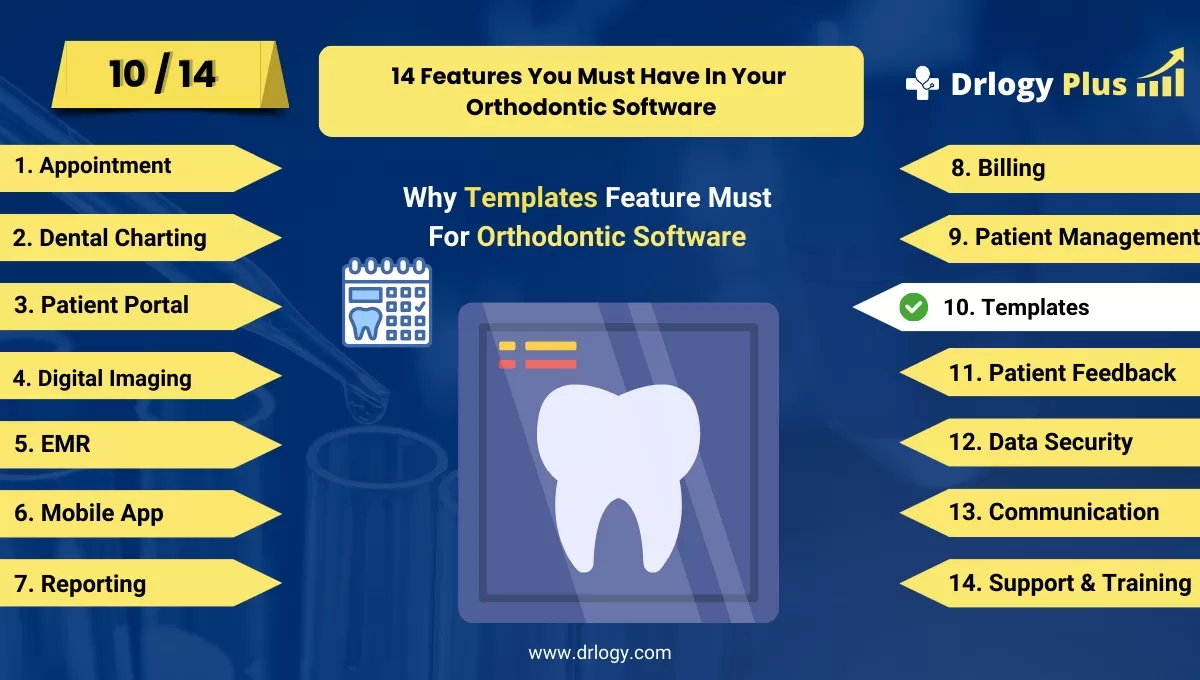
Here's a full guide for the 14 best Orthodontic Software features.
| 1. Appointment | 8. Billing |
| 2. Dental Charting | 9. Patient Management |
| 3. Patient Portal | 10. Customizable Templates |
| 4. Digital Imaging | 11. Patient Feedback |
| 5. EMR | 12. Data Security |
| 6. Mobile App | 13. Communication & Sharing |
| 7. Reporting | 14. Support & Training |
Summary
Overall, These customizable templates features not only enhance operational efficiency in orthodontic practices but also improve the quality of patient interactions and communications, leading to better patient satisfaction and outcomes.
Check Drlogy Orthodontic Software Features Guide for offers comprehensive efficient patient management in dental practice management.