Drlogy
Healthcare organization
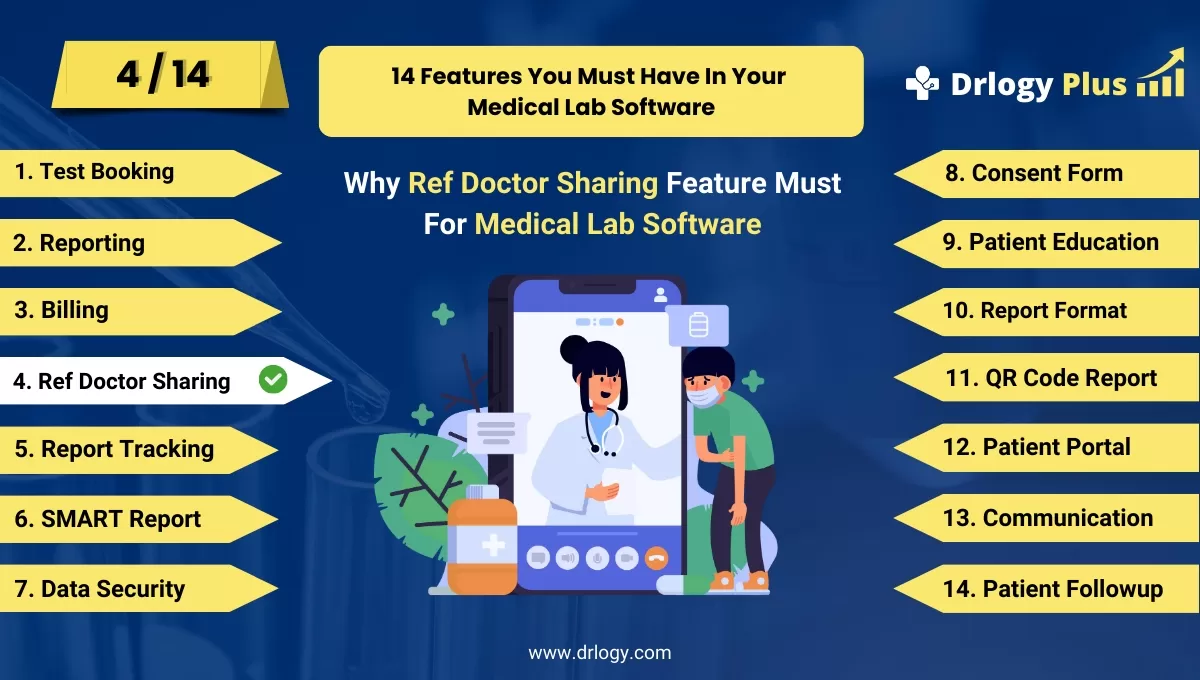
Why Reference Doctor Sharing Feature Must For Medical Lab Software
Efficient reference doctor sharing features in medical lab software enhance collaboration between labs and healthcare providers.
Check
These features ensure seamless communication, improve workflow, and provide accurate, timely diagnostic information for better patient care.
10 Best Reference Doctor Sharing Features For Medical Lab Software
Here are 10 Best Reference Doctor Sharing features For Medical Lab Software.
1. Secure Doctor Portal Access
- Provides reference doctors with a dedicated, secure login portal.
- Allows doctors to access lab results, reports, and patient data anytime, anywhere.
- Ensures data privacy with encrypted access and-based permissions.
- Reduces the need for manual sharing of reports, streamlining the process.
- Enhances doctor engagement and participation in patient management.
2. Automated Report Sharing
- Automatically shares lab reports with reference doctors once test results are ready.
- Eliminates delays caused by manual report distribution, speeding up diagnoses.
- Sends instant notifications to doctors via email or SMS for quick access.
- Ensures accurate and timely report delivery to doctors.
- Improves overall efficiency and reduces administrative workload.
3. Customizable Sharing Settings
- Allows labs to customize which test results or reports are shared with reference doctors.
- Offers flexibility in selecting which data needs to be shared based on doctor preferences.
- Allows different access levels for individual doctors based on their or department.
- Supports patient consent management to control the information flow.
- Ensures compliance with privacy regulations by controlling data access.
4. Real-Time Communication Tools
- Includes integrated chat or messaging features for real-time collaboration with doctors.
- Enables instant discussions on patient reports, improving diagnostic accuracy.
- Reduces the need for separate communication channels like phone calls or emails.
- Provides a streamlined platform for quick consultations on complex cases.
- Enhances decision-making by facilitatingect communication with lab experts.
5. Doctor-Specific Reporting Preferences
- Allows reference doctors to set preferences for report formats and presentation.
- Ensures that reports are delivered in a format that suits each doctor’s workflow.
- Offers options for detailed or summarized reports based on doctor requirements.
- Improves readability and usefulness of lab reports for better patient care decisions.
- Customizes report delivery to fit the working of each doctor.
6. Report Tracking and Acknowledgment
- Tracks when a reference doctor has accessed or reviewed a shared report.
- Provides acknowledgment receipts to confirm that reports have been seen.
- Offers insights into the report review process, ensuring no reports are missed.
- Enhances accountability by tracking doctor engagement with shared data.
- Improves follow-up workflows by ensuring that all necessary reports are reviewed.
7. Collaborative Case Notes
- Enables reference doctors to add notes or commentsectly on shared reports.
- Facilitates collaboration between lab technicians and doctors for more precise diagnoses.
- Provides a record of doctor inputs, ensuring comprehensive patient care.
- Reduces the need for external documentation, centralizing all case-related notes.
- Enhances multi-disciplinary collaboration through shared insights.
8. Mobile Access for Doctors
- Provides mobile app access for reference doctors to view and interact with reports.
- Enables doctors to review lab results while on the go, improving response times.
- Ensures that urgent cases can be addressed quickly, regardless of location.
- Offers a user-friendly interface optimized for mobile devices.
- Improves flexibility for doctors to manage lab communications anytime.
9. Shared Reporting for Multi-Doctor Cases
- Allows multiple doctors to access and review the same patient’s lab results.
- Facilitates better collaboration for complex cases that require input from multiple specialists.
- Ensures that all involved doctors have the latest lab data at their fingertips.
- Reduces delays in communication by offering a centralized reporting platform.
- Improves treatment outcomes by enhancing teamwork among healthcare providers.
10. Audit Trails for Shared Reports
- Provides a detailed log of when and how reports are shared with reference doctors.
- Ensures traceability and accountability for report access and usage.
- Offers a clear audit trail for compliance with regulatory requirements.
- Helpsentify any delays or issues in report sharing for continuous process improvement.
- Enhances transparency and builds trust between labs and healthcare providers.
14 Steps Guide For Medical Lab Software
Here are 14 Steps Guide For Medical Lab Software.
| 1. Reference Doctor Sharing | 8. Consent Form |
| 2. Reporting | 9. Patient Education |
| 3. Billing | 10. Report Format |
| 4. Ref Doctor Sharing | 11. QR Code Report |
| 5. Report Tracking | 12. Patient Portal |
| 6. SMART Report | 13. Reference Doctor Sharing |
| 7. Data Security | 14. Patient Followup |
Summary
Overall,
Also, Check our complete 14 steps Drlogy Medical Lab Software Buying Guide guide to make an informed decision and streamline your diagnostic Lab growth and Lab management and growth.