Drlogy
Healthcare organization
Why Reporting Feature Must For Laboratory Management Software
Effective reporting features in laboratory management software are essential for delivering accurate, timely insights to patients and healthcare providers.
Check
These tools enhance operational efficiency, improve decision-making, and ensure data security, making them vital for any modern laboratory.
10 Best Reporting Features For Laboratory Management Software
Here are 10 Best Reporting features For Laboratory Management Software.
1. Customizable Report Templates
- Labs can create custom templates to suit specific test types and requirements.
- The template editor offers options for lab logos, headers, and unique color schemes.
- Detailed customization helps maintain a consistent and professional look.
- Templates can include standard terminologies and explanations for easier interpretation.
- Predefined templates streamline report generation, reducing time and effort.
2. Automated Report Generation
- Reports are automatically generated as soon as test results are available.
- Automation minimizes manual data entry, reducing errors.
- Staff can set specific triggers for report generation based on workflow stages.
- Automated reports are standardized, maintaining quality and accuracy.
- Labs can save time, allowing staff to focus on other essential tasks.
3. Real-Time Report Access for Patients and Doctors
- Patients and doctors receive instant access to test reports once completed.
- Reports are accessible through secure patient and doctor portals.
- Instant access improves communication and enables timely medical decisions.
- Patients can download or share their reports digitally for easy access.
- Access logs provide visibility into report views and downloads.
4. Interactive Report Dashboards
- Dashboards provide a visual summary of key metrics and test results.
- Interactive charts and graphs simplify the interpretation of complex data.
- Filters allow users to customize the dashboard view based on test types, dates, and more.
- Users can drill down into specific details for deeper analysis.
- Dashboards update in real time, offering the latest data insights.
5. Trend Analysis and Historical Comparison
- Labs can view patient trends over time, comparing historical test results.
- Trend analysis highlights abnormalities or patterns for proactive health management.
- Comparative views make it easy for doctors to track patient progress.
- Patients can access their historical data, promoting greater health awareness.
- Labs can leverage this data for research and continuous improvement.
6. Comprehensive Statistical Analysis Tools
- Built-in statistical tools allow for in-depth analysis of test results.
- Labs can calculate averages, ranges, and deviations for specific test parameters.
- Statistical insights help labs ensure result accuracy and monitor quality control.
- Data aggregation enables labs toentify patterns across different tests.
- Statistical analysis supports research and development within the lab.
7. Automated Alerts for Abnormal Results
- The system automatically flags abnormal or critical results.
- Alerts notify lab staff and doctors about urgent cases requiring immediate attention.
- Customizable thresholds ensure relevant abnormal results are highlighted.
- Automated alerts improve response times and patient care outcomes.
- Labs can set priority levels, helping manage critical cases efficiently.
8. Data Security and Compliance Reporting
- Reports adhere to regulatory standards like HIPAA, GDPR, and other local policies.
- Data encryption and secure access controls protect patient information.
- Compliance reports can be generated to demonstrate adherence to regulations.
- Regular security audits provide insights into data protection practices.
- The system supports auditing and accountability for quality assurance.
9. Report Sharing and Collaboration Features
- Reports can be shared securely with other healthcare providers as needed.
- Patients can authorize report sharing with specific individuals or organizations.
- Collaborative tools enable doctors to add notes or annotations to reports.
- Integration with email or messaging platforms facilitates seamless sharing.
- Labs can track report sharing history for transparency and record-keeping.
10. Mobile-Optimized Report Viewing
- Reports are accessible and readable on any mobile device.
- Mobile optimization ensures that all text, images, and graphs display clearly.
- Push notifications inform patients and doctors when a report is available.
- Patients can download, print, or share reportsectly from their mobile devices.
- Mobile access enhances convenience, enabling quick access to test results on the go.
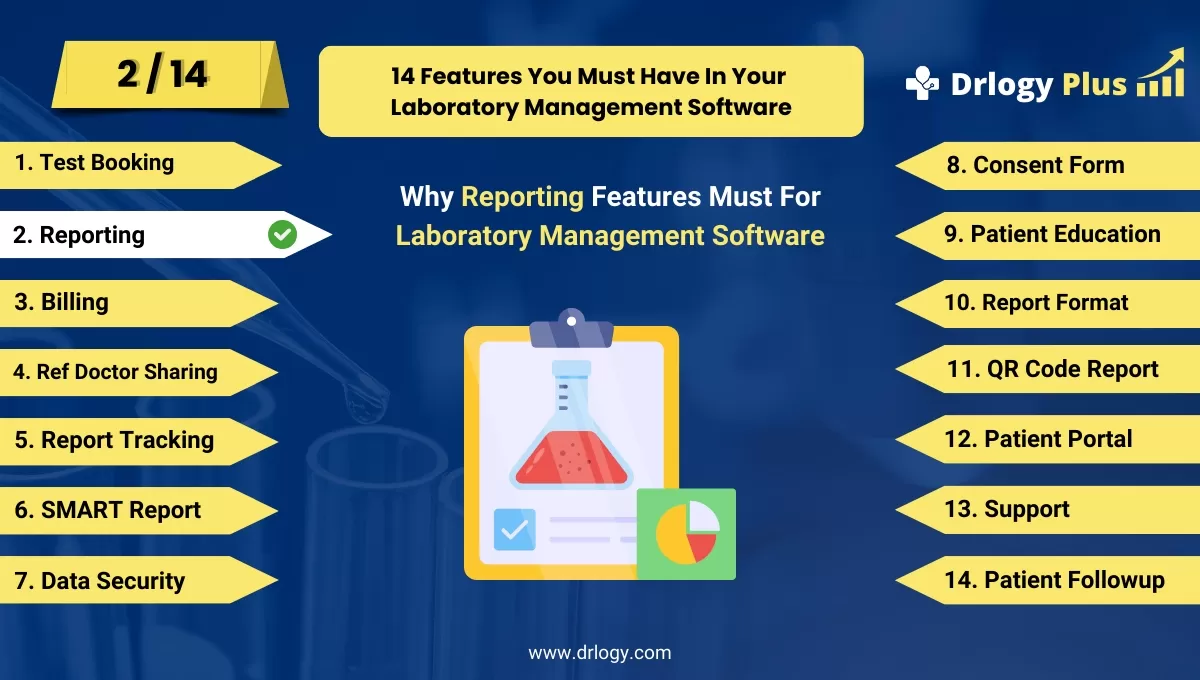
14 Steps Guide For Laboratory Management Software
Here are 14 Steps Guide For Laboratory Management Software.
| 1. Online Test Booking | 8. Consent Form |
| 2. Reporting | 9. Patient Education |
| 3. Billing | 10. Report Format |
| 4. Ref Doctor Sharing | 11. QR Code Report |
| 5. Report Tracking | 12. Patient Portal |
| 6. SMART Report | 13. Support |
| 7. Data Security | 14. Patient Followup |
Summary
Overall, Incorporating these reporting features helps labs streamline operations, improve data accuracy, and enhance patient care outcomes.
Also, Check our complete 14 steps Drlogy Laboratory Management Software Buying Guide guide to make an informed decision and streamline your diagnostic Laboratory growth and Lab management and growth.