Drlogy
Healthcare organization
Why Form F Feature Must In Medical Imaging Software
Form F features in medical imaging software are vital for ensuring accurate documentation, legal compliance, and streamlined workflow.
Check:
These features simplify form management, reduce errors, and enhance both patient and staff efficiency during imaging procedures.
10 Best Form F Features For Medical Imaging Software
Check 10 Best Form F Features for Medical Imaging Software.
1. Customizable Form F Templates
- Provides pre-built templates specific to medical imaging needs.
- Allows customization to meet the legal and procedural requirements of different healthcare facilities.
- Ensures that all necessary information is captured accurately and consistently.
- Reduces the time needed for staff to create and update forms manually.
- Standardizes the format of Form F across the organization, improving clarity.
2. Automated Data Entry
- Automatically populates patient information and imaging details into Form F.
- Reduces the need for manual data entry, minimizing errors and saving time.
- Ensures accurate data capture by integrating with patient records and imaging reports.
- Speeds up the form completion process during busy workflow periods.
- Improves overall efficiency by automating routine tasks.
3. Digital Signatures
- Enables secure electronic signatures for legal and procedural approval on Form F.
- Eliminates the need for printing, scanning, or physical copies, improving efficiency.
- Ensures compliance with legal requirements for electronic signatures.
- Reduces delays in obtaining signatures, enabling faster workflow.
- Improves record-keeping by securely storing signed forms in digital archives.
4. Multilingual Support
- Provides Form F in multipleuages to accommodate a diverse patient population.
- Ensures that patients and staff understand the contents of the form in their preferreduage.
- Reduces the risk of misunderstandings or errors due touage barriers.
- Enhances inclusivity by making forms accessible to non-native speakers.
- Improves patient satisfaction by offering clear communication.
5. Integration EHR Systems
- Seamlessly integrates with imaging venter management along to Electronic Health Records (EHR).
- Automatically updates Form F with relevant patient data and imaging results.
- Ensures that Form F is part of the patient's complete medical record.
- Reduces the need for duplicate data entry and manual form updating.
- Enhances workflow by keeping all patient information in one centralized location.
6. Real-Time Form F Tracking
- Tracks the status of Form F in real time, ensuring completion before procedures.
- Provides alerts for incomplete or missing forms, preventing delays in imaging procedures.
- Improves administrative oversight by tracking form completion across departments.
- Reduces the risk of errors by ensuring all necessary approvals are obtained in real time.
- Enhances workflow efficiency by automating form status updates.
7. Audit Trail and Compliance Management
- Tracks all interactions with Form F, including who accessed, edited, or signed the document.
- Ensures compliance with regulatory and legal standards, such as GDPR.
- Provides a secure audit trail for legal purposes, improving accountability.
- Reduces the risk of unauthorized access or changes to Form F.
- Enhances transparency and ensures that all steps in the form process are properly documented.
8. Automated Notifications and Reminders
- Sends automated notifications to staff or patients to complete or review Form F.
- Ensures that forms are completed on time, reducing delays in imaging procedures.
- Improves communication between administrative staff, radiologists, and patients.
- Reduces administrative burden by automating the follow-up process.
- Enhances workflow efficiency by ensuring timely completion of forms.
9. Patient Portal Access
- Allows patients to review and fill out Form F through a secure online portal.
- Improves patient convenience by enabling form completion before arriving at the clinic.
- Reduces waiting times by ensuring that necessary documentation is completed in advance.
- Enhances the patient experience by providing a user-friendly digital interface.
- Ensures secure data transmission and storage, protecting patient privacy.
10. Secure Storage and Archiving
- Stores completed Form F securely in a digital archive for future reference.
- Ensures compliance with legal requirements for record retention and security.
- Enables easy retrieval of Form F for audits, follow-up appointments, or legal matters.
- Reduces the need for physical storage space, cutting down on paper-related costs.
- Improves data security through encryption and-based access controls.
Drlogy Medical Imaging Software Features Guide
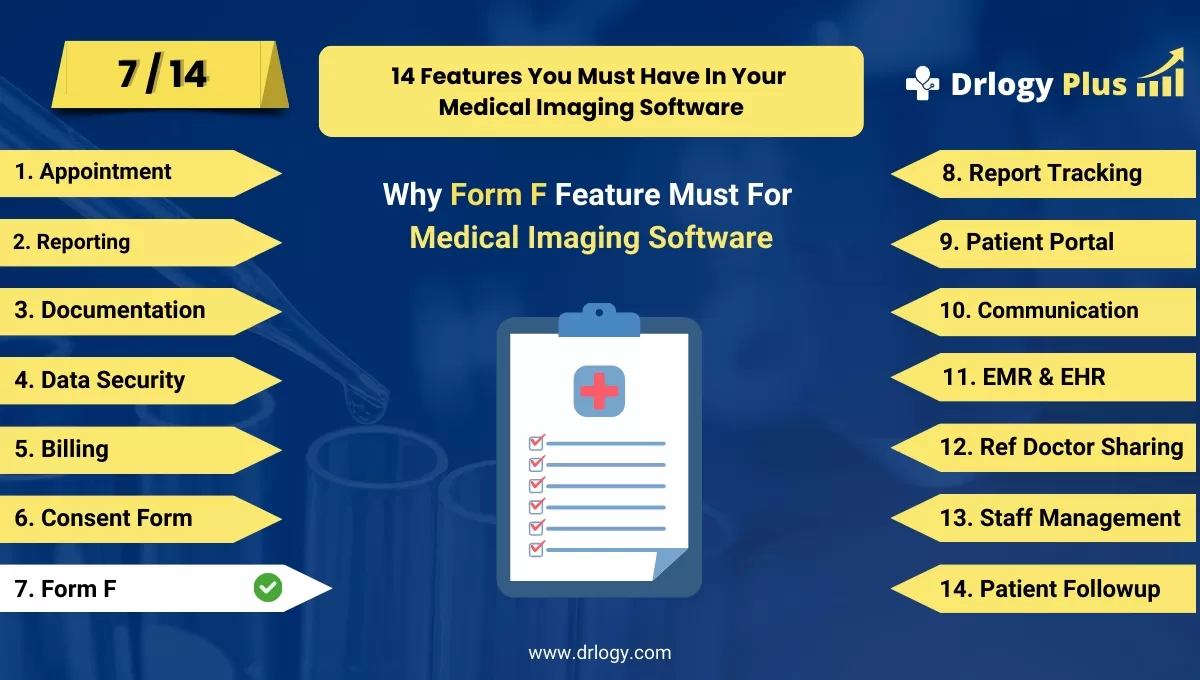
Here's a full guide for the 14 best Medical Imaging Software features.
| 1. Billing | 8. Report Tracking |
| 2. Reporting | 9. Patient Portal |
| 3. Documentation | 10. Communication |
| 4. Data Security | 11. EMR & EHR |
| 5. Billing | 12. Ref Doctor |
| 6. Consent Form | 13. Staff |
| 7. Form F | 14. Patient Followup |
Summary
Overall, Incorporating these advanced Form F features into medical imaging software improves efficiency, ensures compliance, and enhances both patient and staff experience by streamlining documentation and approval processes.
Check Drlogy Medical Imaging Software Features Guide provides a detailed overview of key features to optimize medical imaging centers operations and improve patient management efficiency.




