Drlogy
Healthcare organization
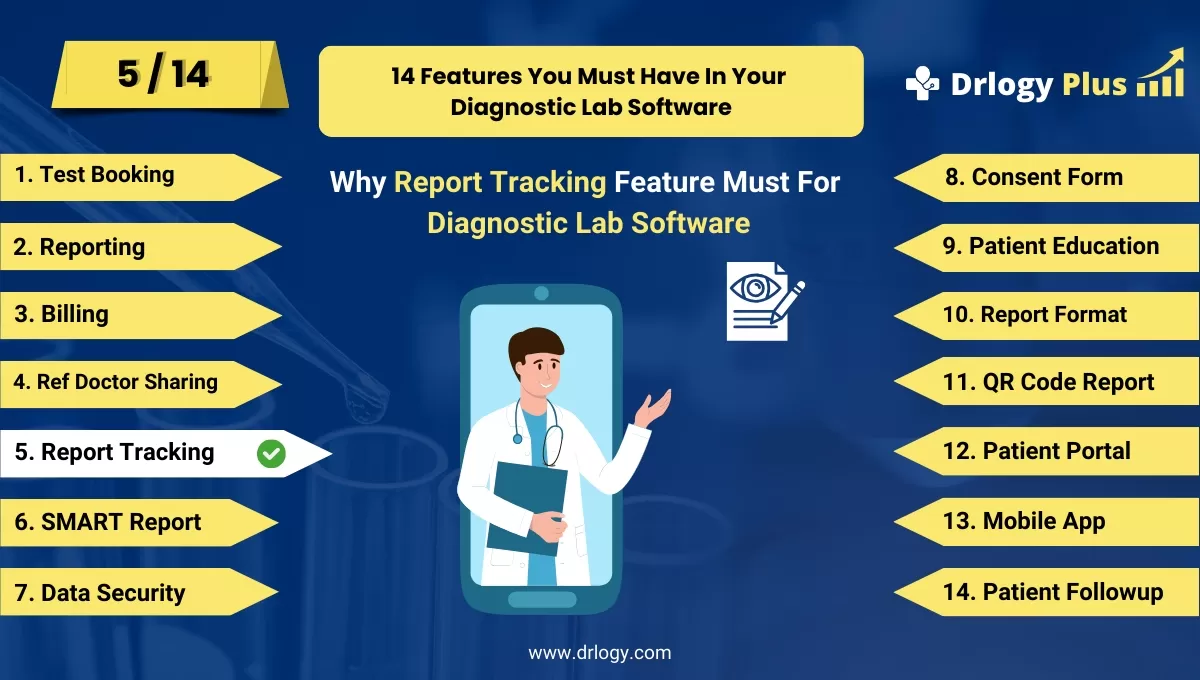
Why Report Tracking Feature Must For Diagnostic Lab Software
In today’s fast-paced healthcare environment, diagnostic labs need efficient software solutions to manage report tracking and delivery.
Check
The right features can streamline processes, reduce errors, and improve patient outcomes.
10 Best Report Tracking Features For Diagnostic Lab Software
Here are 10 Best Report Tracking features For Diagnostic Lab Software.
1. Automated Report Generation
- Automatically generate test reports as soon as results are available.
- Reduces manual labor and ensures accuracy in data entry.
- Reports can be customized according to diagnostic lab requirements.
- Speeds up the turnaround time for report delivery to patients and doctors.
- Enables simultaneous generation of multiple reports for bulk testing.
2. Real-Time Report Status Tracking
- Enables lab administrators to monitor the real-time status of all test reports.
- Provides visibility into whether reports are pending, in progress, or completed.
- Helps prioritize urgent cases for faster processing.
- Minimizes delays by alerting staff to pending reports requiring immediate attention.
- Provides patients and doctors with status updates via email or SMS.
3. Customizable Report Templates
- Allows labs to create and modify report templates to fit specific tests or procedures.
- Enables the inclusion of branding elements like logos and contact information.
- Facilitates the insertion of headers, footers, and personalized notes in reports.
- Supports multipleuages for labs catering to diverse patient demographics.
- Standardizes report formats across different departments, enhancing professionalism.
4. Barcode Integration for Sample Tracking
- Links sample barcodes with their respective test reports for seamless tracking.
- Prevents mix-ups by ensuring each sample is uniquelyentified throughout the process.
- Simplifies the process of locating samples and their corresponding reports.
- Enhances overall lab efficiency by minimizing manual data entry errors.
- Provides a clear audit trail from sample collection to report generation.
5. Multi-Device Accessibility for Report Viewing
- Allows lab staff, patients, and doctors to view reports on mobile devices, tablets, and desktops.
- Increases convenience by enabling report access from anywhere with an internet connection.
- Supports secure logins to ensure the confidentiality of patient data.
- Provides downloadable formats like PDF for offline access.
- Encourages quick collaboration between doctors and labs for patient care decisions.
6. Audit Trail for Report Modifications
- Keeps a record of all changes made to reports, ensuring transparency.
- Tracks who made modifications, when, and why, creating accountability.
- Helps in case of any legal or regulatory review by providing a detailed history.
- Enables lab managers toentify and correct any errors during the report generation process.
- Provides a sense of security for both patients and doctors by maintaining report integrity.
7. Automated Report Delivery via Email and SMS
- Sends completed reportsectly to patients and doctors through email or SMS.
- Eliminates the need for physical report collection, saving time and resources.
- Ensures timely delivery of reports, improving patient satisfaction.
- Allows for customizable message templates to personalize communication.
- Includes security features to protect sensitive patient data in transmissions.
8. Data Analytics and Reporting Insights
- Offers insights into report generation trends, such as turnaround times and test volumes.
- Provides actionable data that can help labs optimize their processes and reduce delays.
- Allows labs to monitor performance metrics like error rates and productivity.
- Facilitates easy access to historical report data for audits or research purposes.
- Helps inentifying bottlenecks in the testing and reporting process for continuous improvement.
9. Integration with Electronic Health Records (EHR)
- Automatically syncs diagnostic reports with patients’ electronic health records.
- Facilitates seamless sharing of reports with other healthcare professionals for better care coordination.
- Reduces the need for manual input of test results into EHR systems.
- Enhances the accuracy of medical records by avoiding data duplication.
- Helps labs stay compliant with healthcare regulations and standards for digital record-keeping.
10. Patient Portal for Report Access
- Provides a dedicated online portal where patients can securely view and download their reports.
- Increases transparency and patient engagement by offering easy access to personal health data.
- Allows patients to track the status of their tests and receive notifications when reports are ready.
- Supports multiple layers of authentication for secure report access.
- Enables patients to share reports with doctors or specialistsectly from the portal, facilitating timely medical interventions.
14 Steps Guide For Diagnostic Lab Software
Here are 14 Steps Guide For Diagnostic Lab Software.
| 1. Online Test Booking | 8. Consent Form |
| 2. Reporting | 9. Patient Education |
| 3. Report Tracking | 10. Report Format |
| 4. Ref Doctor Sharing | 11. QR Code Report |
| 5. Report Tracking | 12. Patient Portal |
| 6. SMART Report | 13. Online Test Booking |
| 7. Data Security | 14. Patient Followup |
Summary
Overall, Incorporating these essential report tracking features in diagnostic lab software can significantly enhance lab efficiency and patient care.
Also, Check our complete 14 steps Drlogy Diagnostic Lab Software Buying Guide guide to make an informed decision and streamline your diagnostic Lab growth and Lab management and growth.




