Drlogy
Healthcare organization
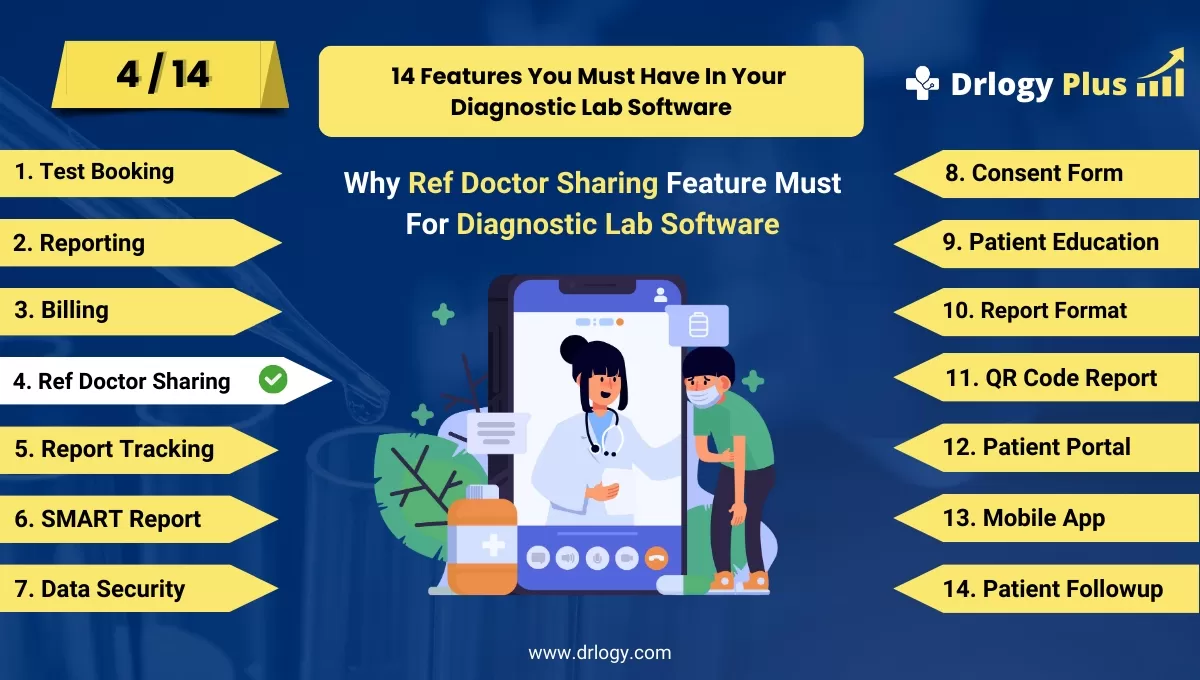
Why Reference Doctor Portal Feature Must For Diagnostic Lab Software
A robust reference doctor portal is essential for diagnostic lab software, as it fosters efficient communication and collaboration between labs and healthcare providers.
Check
By offering seamless access to patient information and test results, these portals enhance the quality of care and streamline workflows, ultimately benefiting patient outcomes.
10 Best Reference Doctor Portal Features For Diagnostic Lab Software
Here are 10 Best Reference Doctor Portal features For Diagnostic Lab Software.
1. User-Friendly Interface
- A user-friendly interface ensures that reference doctors can easily navigate the portal without extensive training.
- The design should be intuitive, allowing quick access to key features such as patient results and reports.
- A well-organized layout helps doctors find the information they need efficiently, saving valuable time.
- Responsive design guarantees that the portal is accessible on various devices, including tablets and smartphones.
- This feature improves overall user satisfaction and encourages frequent use of the portal by reference doctors.
2. Secure Access and Authentication
- Secure access and authentication protocols protect sensitive patient information from unauthorized access.
- Multi-factor authentication enhances security, ensuring that only authorized users can log in to the portal.
- User-specific permissions can be set to limit access to certain features based ons within the healthcare organization.
- Secure connections (e.g., HTTPS) encrypt data transmitted between the portal and the user's device, maintaining confidentiality.
- This feature builds trust with reference doctors, ensuring that their patient data is safe and secure.
3. Real-Time Access to Test Results
- Real-time access to test results allows reference doctors to receive critical information immediately after tests are completed.
- The portal can provide notifications for new results, ensuring that doctors are promptly informed of updates.
- Quick access to test results supports timely decision-making and enhances patient care.
- Reference doctors can easily view and compare historical test results for better patient management.
- This feature improves communication between labs and reference doctors, facilitating collaborative patient care.
4. Detailed Reporting and Analytics
- The portal offers detailed reporting and analytics tools to help reference doctors analyze patient data effectively.
- Users can generate customized reports based on specific criteria, such as patient demographics or test types.
- Analytics tools provide insights into testing trends, helping doctors make informed clinical decisions.
- The ability to track patient outcomes over time enhances the overall quality of care provided.
- This feature supports evidence-based practice by providing reference doctors with relevant data at their fingertips.
5. Electronic Referral Management
- Electronic referral management simplifies the process of referring patients to the lab for diagnostic testing.
- Reference doctors can submit referralsectly through the portal, reducing paperwork and administrative tasks.
- The system can track the status of referrals, allowing doctors to follow up easily on their patients’ progress.
- Automated notifications keep doctors informed about important updates related to their referrals.
- This feature enhances communication between healthcare providers, streamlining patient care pathways.
6. Integration with EHR/EMR Systems
- Integration with Electronic Health Record (EHR) or Electronic Medical Record (EMR) systems allows for seamless data exchange.
- Reference doctors can access lab resultsectly within their existing patient management systems, improving workflow efficiency.
- This feature eliminates the need for duplicate data entry, reducing the risk of errors and saving time.
- Users can easily update patient records with lab results, ensuring comprehensive and accurate medical documentation.
- Integration promotes collaboration between labs and healthcare providers, enhancing the overall quality of care.
7. Communication Tools
- Communication tools within the portal facilitate secure messaging between reference doctors and lab personnel.
- Doctors can quickly ask questions about test results or seek clarification on procedures, enhancing collaboration.
- The messaging system can include automated alerts for critical results, ensuring timely communication regarding urgent findings.
- Users can access a history of communications for reference, improving accountability and transparency.
- This feature fosters a strong relationship between labs and reference doctors, enhancing patient care quality.
8. Patient Management Features
- Patient management features allow reference doctors to view comprehensive patient profiles, including medical history and lab results.
- Users can track patient demographics and previous tests, facilitating informed clinical decision-making.
- The portal can offer appointment scheduling tools for labs, streamlining the process for patients and doctors alike.
- Reference doctors can receive alerts for patients needing follow-up tests or additional care based on lab results.
- This feature enhances the overall patient experience by providing doctors with the information they need at their fingertips.
9. Customizable Dashboards
- Customizable dashboards enable reference doctors to tailor their portal experience based on their preferences and needs.
- Users can prioritize the display of key metrics, such as pending results, recent tests, and important notifications.
- This feature enhances workflow efficiency, allowing doctors to focus on what matters most in their practice.
- The dashboard can include widgets for analytics, upcoming appointments, or communication messages, providing a comprehensive overview.
- Customization promotes user satisfaction, as reference doctors can set up the portal to fit their individual workings.
10. Training and Support Resources
- The portal provides access to training materials, tutorials, and FAQs to help reference doctors navigate the system effectively.
- Support resources can include contact information for technical assistance, ensuring that users can get help when needed.
- Webinars or live training sessions may be offered to familiarize doctors with new features and updates in the portal.
- This feature empowers reference doctors to utilize the portal fully, enhancing their overall experience and satisfaction.
- Ongoing support fosters a positive relationship between labs and reference doctors, improving collaboration in patient care.
14 Steps Guide For Diagnostic Lab Software
Here are 14 Steps Guide For Diagnostic Lab Software.
| 1. Online Test Booking | 8. Consent Form |
| 2. Reporting | 9. Patient Education |
| 3. Billing | 10. Report Format |
| 4. Ref Doctor Sharing | 11. QR Code Report |
| 5. Report Tracking | 12. Patient Portal |
| 6. SMART Report | 13. Online Test Booking |
| 7. Data Security | 14. Patient Followup |
Summary
Overall, These reference doctor portal features are crucial for diagnostic lab software, facilitating effective communication, enhancing user experience, and improving overall patient care.
Also, Check our complete 14 steps Drlogy Diagnostic Lab Software Buying Guide guide to make an informed decision and streamline your diagnostic Lab growth and Lab management and growth.




