Drlogy
Healthcare organization
How Staff Management Feature Simplifies Gastroenterologist Software
In gastroenterology clinics, where patient flow, diagnostics, procedures, and follow-ups are routine, efficient staff coordination is essential.
Check:
Best Gastroenterologist Software For Oncology Clinics & Hospitals
The Staff Management feature in gastroenterologist software centralizes staffs, duties, and schedules—boosting clinic productivity, accountability, and patient experience.
10 Ways Staff Management Feature Aids Gastroenterologist Software
Here are 10 Ways Staff Management Feature Aids Gastroenterologist Software.
1. Streamlines Staff Scheduling and Shift Management
- Assigns shifts for doctors, nurses, receptionists, and technicians.
- Avoids double booking or understaffing during busy OPD and procedure hours.
- Provides clarity on who is available for endoscopies, follow-ups, or emergencies.
- Increases operational efficiency.
- Supports balanced workload distribution.
Organized shift planning keeps daily operations smooth and patient-ready.
2. Tracks Individual Staffs and Responsibilities
- Defines access levels and duties for each staff member (e.g., GI techs, assistants).
- Assigns tasks like procedure prep, billing, or documentation.
- Enhances clarity and reduces overlap or confusion.
- Improves accountability in patient care and support tasks.
- Ensures-based software access and compliance.
Clear allocation ensures that everyone performs their designated responsibilities efficiently.
3. Improves Task Allocation and Monitoring
- Allows gastroenterologists or managers to assign specific tasks like report uploads, follow-up calls, or lab coordination.
- Tracks status of tasks (pending, in progress, completed).
- Enables follow-up reminders and escalations.
- Prevents missed steps in patient journeys.
- Boosts team accountability.
Task tracking ensures timely and error-free service delivery.
4. Monitors Attendance and Staff Performance
- Digital check-in/check-out with biometric or mobile logins.
- Tracks punctuality and overtime.
- Allows performance reviews based on activity logs and patient handling.
- Helps in HR decisions and bonus/incentive calculations.
- Reduces manual attendance paperwork.
Attendance tracking leads to better discipline and evaluations.
5. Enhances Coordination During GI Procedures
- Schedules nurses, endoscopy assistants, and anesthesia teams efficiently.
- Assigns duties for pre-op, intra-op, and post-op phases.
- Minimizes confusion during procedures like colonoscopy or ERCP.
- Ensures seamless room preparation and turnover.
- Improves procedural safety and timing.
Efficient staff allocation improves success rates in GI interventions.
6. Secures-Based Access to Patient Data
- Restricts access to sensitive data based on staff.
- Doctors view complete EMRs, while reception handles appointment data.
- Prevents data misuse and ensures privacy compliance.
- Builds trust with patients.
- Supports HIPAA and local regulatory standards.
Controlled access protects patient data and ensures ethical practice.
7. Reduces Administrative Overload
- Automates daily task tracking, shift changes, and leave management.
- Reduces manual HR paperwork and errors.
- Frees up time for quality care delivery.
- Allows faster staff replacements during emergencies.
- Makes management scalable as the clinic grows.
Automation simplifies HR processes and increases staff productivity.
8. Improves Communication and Internal Updates
- Notifies staff about shift changes, urgent patient cases, or internal memos.
- Reduces miscommunication between reception, nursing, and doctors.
- Improves coordination during emergencies or peak patient hours.
- Keeps the whole team on the same page.
- Encourages teamwork.
Real-time communication tools reduce confusion and enhance response.
9. Supports Staff Training and Knowledge Sharing
- Tracks staff performance toentify training needs.
- Uploads SOPs and videos for common GI procedures or equipment handling.
- Improves onboarding for new staff.
- Enhances service quality and safety.
- Builds a knowledgeable and efficient care team.
Ongoing training via the platform improves clinical and operational standards.
10. Strengthens Clinic Management and Growth Planning
- Provides admin reports on staff availability, workload, and efficiency.
- Helps allocate human resources based on patient flow trends.
- Enables cost control through better manpower planning.
- Supports scaling to multiple locations.
- Improves clinic-wide decision-making.
Centralized staff management supports smarter, growth.
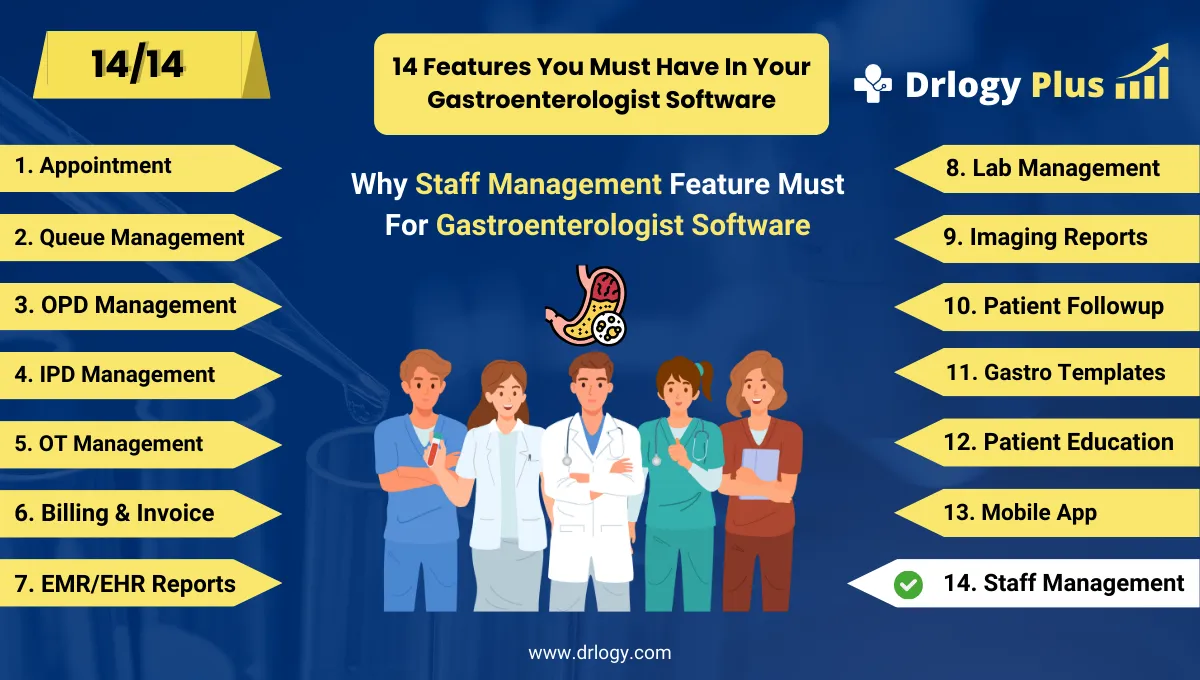
Drlogy Gastroenterologist Software Features
Here are 14 basic features for Drlogy Gastroenterologist Software.
Summary
Overall, Staff Management feature in gastroenterologist software plays a crucial in maintaining daily operational excellence.
Check Drlogy Gastroenterologist Software Features Guide streamline gastroenterology clinic management, improve patient flow for digestiverelated conditions, and enhance overall efficiency in gastroenterology practice.




