Is there a profitability index formula in Excel?
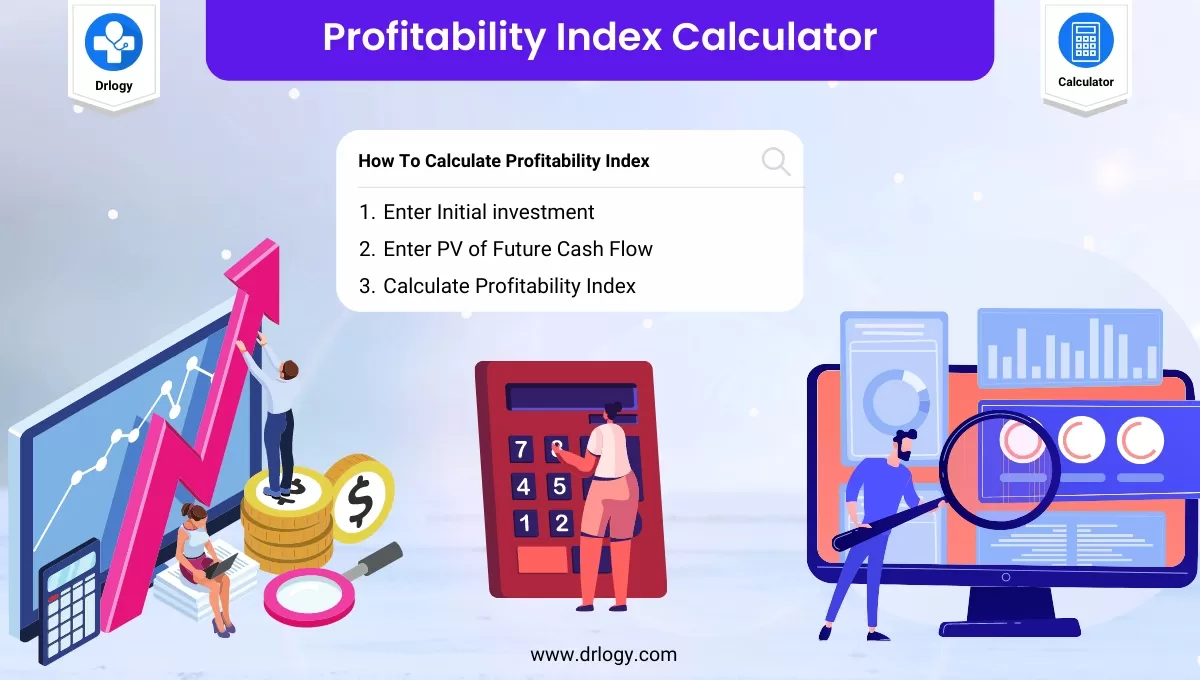
Yes, there is a formula to calculate the profitability index in Excel. The formula is: . To use this formula, you'll need to determine the present value (PV) of all future cash flows generated by an investment project and then divide it by the initial investment. The result will give you the profitability index, which is a measure of the project's potential profitability. A PI greater than 1 indicates a potentially profitable project, while a PI less than 1 suggests that the investment may not be worthwhile. Excel makes it easy to calculate the profitability index by using the built-in functions for present value and division.
FAQ
What is the use of PMT?
PMT is a financial function in Excel that calculates the periodic payment required to repay a loan or achieve a specific financial goal over a predetermined number of periods. The PMT function is useful for determining regular loan repayments, annuity payments, or investment contributions. By knowing the required payment amount, individuals and businesses can plan their finances effectively, manage debt obligations, and assess the feasibility of different financial decisions. The PMT function streamlines financial planning and analysis, providing valuable insights into cash flow management and investment planning.
How to do PV on Excel?
To calculate PV (Present Value) in Excel, use the "PV" function. The syntax for the function is "=PV(rate, nper, pmt, fv, type)". Here, "rate" represents the interest rate per period, "nper" is the total number of periods, "pmt" is the periodic payment (if any), "fv" is the future value or final cash flow, and "type" specifies whether payments are due at the beginning (type=1) or end (type=0) of each period. By entering these parameters along with appropriate values, Excel will compute the PV of the cash flow or investment, helping users analyze and compare different financial scenarios.
Why is PV formula negative?
The PV (Present Value) formula may yield a negative value when the discount rate (interest rate) is higher than 0. This happens when the future cash flows or investment returns are expected to be worth less than the initial investment in today's terms. A negative PV indicates that the investment opportunity may not be financially viable or does not offer sufficient returns to cover the initial cost. It is essential to interpret negative PV values carefully, as they may suggest higher risk or lower profitability. Investors and businesses often use the PV formula to evaluate the potential of different investment opportunities.
How do you calculate PV of cash flow?
To calculate the PV (Present Value) of cash flow, use the formula: PV = Cash Flow / (1 + Discount Rate)^n. In this formula, "Cash Flow" represents the expected cash inflow in a future period, "Discount Rate" is the desired rate of return or interest rate, and "n" is the number of periods in the future. By discounting the future cash flow to its current worth, the PV helps assess the value of the cash flow in today's terms. This allows investors and businesses to evaluate investment opportunities and make informed financial decisions based on the time value of money.
Why do we calculate PV?
Calculating PV (Present Value) is essential in finance and investment decision-making. PV helps assess the current worth of future cash flows or investment returns by discounting them to their present value. This is important because money has a time value, meaning that the value of money changes over time due to factors like inflation and interest rates. By calculating PV, individuals and businesses can evaluate the profitability of investment opportunities, assess risk, make informed financial decisions, and compare different projects on a fair basis. It is a fundamental concept in financial analysis and planning.
What is PV vs FV formula in Excel?
In Excel, the PV (Present Value) formula is "=PV(rate, nper, pmt, fv, type)", and the FV (Future Value) formula is "=FV(rate, nper, pmt, pv, type)". The "rate" is the interest rate per period, "nper" is the total number of periods, "pmt" is the periodic payment, "fv" is the future value or final cash flow, and "type" specifies whether payments are due at the beginning (type=1) or end (type=0) of each period. These formulas allow Excel users to calculate the PV or FV of an investment, loan, or annuity easily, making financial planning and analysis more efficient.
What is PV and FV examples?
PV (Present Value) and FV (Future Value) examples can be illustrated with an investment scenario. Suppose you have the option to invest $1,000 in a savings account that offers an annual interest rate of 5%. To calculate the PV, you would divide $1,000 by (1 + 0.05)^n, where "n" represents the number of years you plan to keep the money in the account. To find the FV after three years, you would multiply $1,000 by (1 + 0.05)^3. The PV represents the current worth of the investment, while the FV shows the value it will grow to in three years with the given interest rate.
How do you calculate PV and FV?
PV (Present Value) and FV (Future Value) are calculated using different formulas. PV is determined by discounting future cash flows or investment returns to their current worth, while FV calculates the value of an investment or cash flow at a future point, considering its growth due to interest or other factors. The formulas are as follows: PV = Future Cash Flow / (1 + Discount Rate)^n and FV = Present Value * (1 + Interest Rate)^n. In these formulas, "Future Cash Flow" represents the expected cash inflow, "Discount Rate" is the desired rate of return or interest rate, and "n" is the number of periods.
What is PV potential?
PV potential, also known as Photovoltaic potential, refers to the estimation of solar energy that can be harnessed by photovoltaic (PV) systems in a specific geographic location. It represents the maximum amount of solar radiation available for converting into electricity using solar panels. PV potential assessments consider factors such as solar irradiance, temperature, shading, and the tilt and orientation of the panels. Knowing the PV potential helps in planning and designing efficient solar energy systems, making informed decisions for sustainable energy generation, and reducing dependency on non-renewable energy sources.
What is an example of a PV function?
An example of a PV (Present Value) function in Excel is: "=PV(0.05, 10, -500, 0, 0)". In this example, "0.05" is the discount rate (5% interest rate per period), "10" is the total number of periods (years), "-500" represents the periodic payment (negative as it is an outgoing payment), "0" is the future value (final cash flow), and "0" as the "type" indicates that payments are due at the end of each period. Excel will calculate the present value of the cash flow, showing its current worth based on the discount rate and number of periods. This allows users to evaluate the investment's current value and make informed decisions.
What is PV in NPV?
In the context of NPV (Net Present Value), PV stands for "Present Value." NPV calculates the difference between the present value of cash inflows and outflows associated with an investment project. By discounting future cash flows to their present values, NPV helps assess the profitability of an investment opportunity. If the NPV is positive, the project is expected to generate returns that exceed the initial investment, making it financially viable. NPV is a valuable tool for businesses and investors to make informed decisions about capital investments and project selections.
What is PV and FV?
PV (Present Value) and FV (Future Value) are financial concepts related to the time value of money. PV represents the current worth of a future cash flow or investment return, accounting for the effects of inflation or interest over time. FV, on the other hand, represents the value of an investment or cash flow at a specific point in the future, considering its growth due to interest or other factors. Understanding PV and FV helps individuals and businesses in financial planning, investment decisions, and evaluating the profitability of projects or investment opportunities.
How do you calculate PV at 10%?
To calculate Present Value (PV) at a discount rate of 10%, use the formula: PV = Future Cash Flow / (1 + 0.10)^n. In this formula, "Future Cash Flow" represents the expected cash inflow in a future period, and "n" is the number of periods in the future. By applying the discount rate of 10% to the future cash flow, the formula computes the present value of the cash flow. This allows investors and businesses to evaluate the current worth of future returns and make informed financial decisions based on the time value of money.
What is PMT vs PV?
PMT (Payment) and PV (Present Value) are both essential concepts in finance but serve different purposes. PMT refers to the periodic payment required to repay a loan or an investment over a specific number of periods. It helps individuals and companies plan loan repayments or determine regular investment contributions. On the other hand, PV calculates the current value of future cash flows or investment returns, accounting for the time value of money. PV allows investors to assess the current worth of future cash inflows, helping with investment decision-making and financial planning. Both PMT and PV are valuable tools in financial analysis and planning.
What is PV in PMT formula?
PV in the PMT formula stands for "Present Value." The PMT formula calculates the periodic payment required to repay a loan or achieve a specific financial goal over a predetermined number of periods. The formula is used in financial calculations like loan payments and annuities. By considering the present value, the PMT formula determines the regular payment needed to account for the time value of money and repay the loan or investment efficiently. Understanding the PMT formula helps individuals and businesses plan their finances and make informed decisions about loans and investments.
What is the formula for calculating PV?
The formula for calculating Present Value (PV) is: PV = Future Cash Flow / (1 + Discount Rate)^n, where "Future Cash Flow" represents the expected cash inflow in a future period, "Discount Rate" is the desired rate of return or interest rate, and "n" is the number of periods in the future. PV measures the current value of future cash inflows, helping investors assess the worth of future returns in today's terms. PV is a crucial concept in finance, as it allows for better evaluation and comparison of different investment opportunities.
What is the full form of IRR?
The full form of IRR is the "Internal Rate of Return." IRR is a crucial financial metric used to evaluate the potential profitability of an investment project. It represents the discount rate at which the net present value (NPV) of all future cash flows from the project becomes zero. In other words, it is the rate at which an investment breaks even. If the IRR is higher than the required rate of return or cost of capital, the investment is considered financially feasible and attractive. Investors and companies use IRR as a decision-making tool to compare different projects and select those with higher returns.
What is the formula for the payback period?
The payback period formula calculates the time required to recoup the initial investment in a project. It is given by: Payback Period = Initial Investment / Annual Cash Inflow. For projects with equal annual cash inflows, divide the initial investment by the annual cash inflow. The payback period helps assess the time it takes to recover the investment, making it a useful metric for evaluating the liquidity and risk associated with investment opportunities. Shorter payback periods are generally preferred, as they signify faster returns and reduced risk exposure.
What is a good profitability index?
A good profitability index (PI) typically exceeds 1. The PI is a capital budgeting metric that evaluates investment opportunities by comparing the present value of future cash flows to the initial investment. If the PI is greater than 1, it indicates that the project's future returns are higher than the initial investment, making it financially viable. The higher the PI, the more attractive the investment. However, comparing the PI with other projects and considering the risk associated with each opportunity is essential. A PI less than 1 suggests the project may not yield sufficient returns to cover the investment cost.
What are the 4 major types of capital?
The four major types of capital are: 1. Debt Capital: It refers to funds borrowed from lenders or creditors, which companies must repay over time with interest. Examples include bank loans and corporate bonds. 2. Equity Capital: It represents funds raised by a company through issuing shares to investors. Equity shareholders become partial owners of the company and may receive dividends. 3. Working Capital: This capital is used to finance a company's day-to-day operations, such as inventory, accounts receivable, and short-term liabilities. 4. Fixed Capital: It refers to the long-term investments made by a company in fixed assets like buildings, machinery, and equipment. Understanding these capital types is crucial for effective financial management and strategic decision-making.
What is a good NPV value?
NPV (Net Present Value) represents the difference between the present value of cash inflows and outflows associated with an investment project. A positive NPV indicates that the project's future returns are higher than the initial investment, making it financially viable and attractive. Positive NPV signifies that the project generates more value than it costs, contributing positively to the company's overall profitability. A higher NPV represents greater potential for increased earnings and better opportunities for investors and businesses. Positive NPV also suggests that the investment's rate of return is higher than the cost of capital, making it a beneficial and efficient use of resources. On the other hand, a negative NPV signifies that the project's costs exceed the future returns, making it financially unviable. Negative NPV projects may indicate that the investment may not generate sufficient returns to cover the initial cost and may lead to losses. It is essential to consider the risk associated with the investment and compare NPV with other projects or opportunities before making decisions. A positive NPV is a key indicator of a successful and profitable investment.
What are the two formulas for profit?
There are two common formulas to calculate profit: 1. Gross Profit = Revenue - Cost of Goods Sold (COGS): This formula calculates the profit remaining after deducting the direct costs associated with producing goods or services. 2. Net Profit = Gross Profit - Operating Expenses - Taxes: Net profit considers all expenses, including operating expenses and taxes, to provide a more comprehensive view of a business's overall profitability. Both gross profit and net profit are essential metrics for evaluating a company's financial health and efficiency.
How do I calculate an investment return in Excel?
To calculate investment return in Excel, you can use the formula: "= (Ending Value - Beginning Value) / Beginning Value." In Excel, input the beginning value (initial investment) in one cell, the ending value (current value) in another cell, and use the formula to calculate the investment return automatically. Make sure to format the cell as a percentage to see the result as a percentage value. Excel is a powerful tool for financial analysis and allows investors to track their investment performance easily.
What is the formula for the ratio?
The formula to express a ratio between two quantities is: Ratio = (Quantity A / Quantity B). Ratios compare the sizes or values of two different quantities and can be expressed as fractions, decimals, or percentages. Ratios play a vital role in various fields, including finance, engineering, and statistics, providing valuable insights into the relationships between different variables. Understanding and interpreting ratios correctly is crucial for making informed decisions based on quantitative data.
How do I calculate my return on investment?
To calculate your return on investment (ROI), use the following formula: ROI = ((Current Value - Initial Investment) / Initial Investment) * 100. Subtract the initial investment from the current value to find the profit. Then, divide the profit by the initial investment, and multiply the result by 100 to express it as a percentage. ROI helps assess the profitability of an investment and is a valuable metric for investors to evaluate different opportunities or track the performance of their investments over time.
- Home /
- Calculator /
- FAQ /
- Is there a profitability index formula in Excel?