Drlogy
Healthcare organization
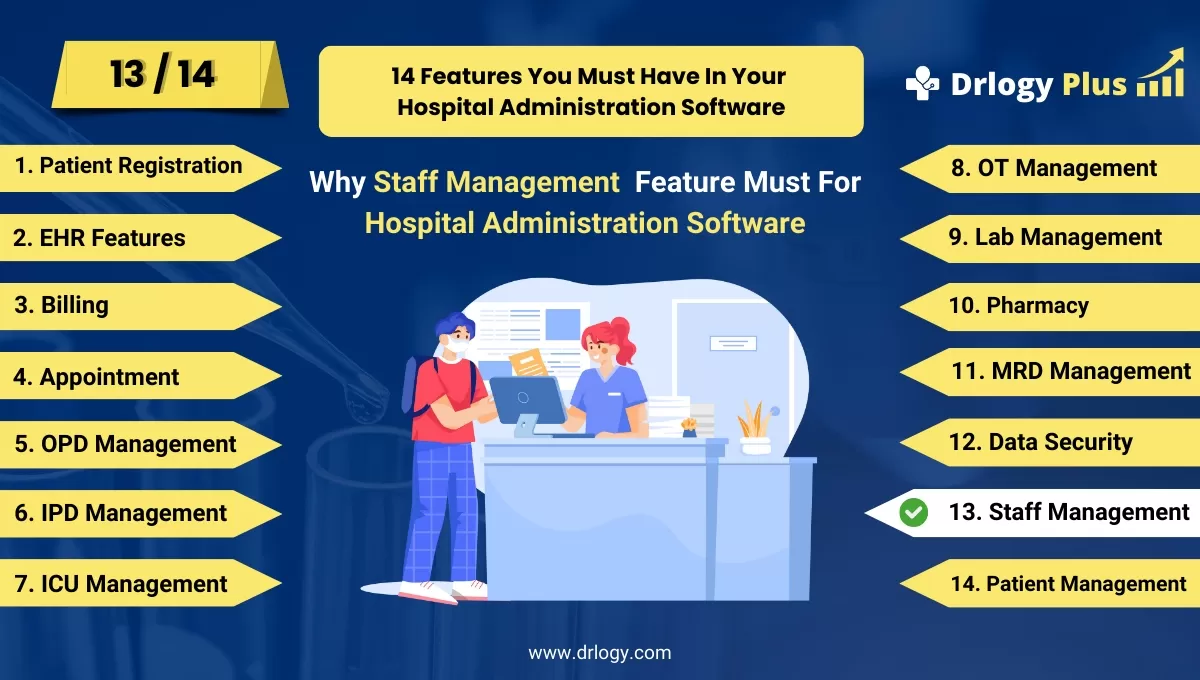
Why Staff Management Features For Hospital Administration Software
Effective staff management is crucial for the smooth operation of any hospital, ensuring that the right personnel are in place to provide high-quality patient care.
Recommended
Implementing robust staff management features in hospital administration software streamlines workflows enhances productivity, and fosters a positive work environment.
10 Reasons Why Staff Management Feature Must For Hospital Administration Software
Here are 10 Reasons Why Staff Management Feature Must For Hospital Administration Software.
1. Efficient Workforce Allocation
- Shift Scheduling: Allows for automated shift scheduling, ensuring that staff coverage is optimized and no department is understaffed at any time.
- Real-Time Availability: Provides real-time visibility into staff availability, enabling quick adjustments in case of unexpected absences or emergencies.
- Role-Based Assignments: Facilitates assigning tasks based on staff qualifications ands, ensuring that the right personnel are allocated to appropriate duties.
- Workload Balancing: Helps distribute workloads evenly among staff members, reducing burnout and improving job satisfaction.
- Overtime Management: Tracks overtime hours and manages them efficiently, preventing excessive overtime costs and ensuring fair compensation.
2. Enhanced Staff Productivity
- Performance Tracking: Monitors staff performance through key performance indicators (KPIs), enabling management toentify areas for improvement.
- Automated Task Management: Automates routine tasks, freeing up staff time to focus on patient care and other critical activities.
- Time and Attendance Monitoring: Tracks staff attendance and punctuality, helping to minimize absenteeism and ensure consistent productivity.
- Goal Setting: Enables the setting and tracking of individual and team goals, motivating staff to achieve higher performance levels.
- Training and Development: Provides tools for tracking staff training and certifications, ensuring continuous professional development and competency.
3. Improved Communication and Collaboration
- Internal Messaging System: Facilitates secure communication between staff members, improving collaboration and information sharing.
- Announcement Features: Allows management to make important announcements and updates quickly, ensuring that all staff members are informed.
- Team Coordination: Supports the coordination of team activities, ensuring that all team members are aligned and working towards common objectives.
- Feedback Mechanisms: Provides channels for staff to give and receive feedback, fostering a culture of open communication and continuous improvement.
- Document Sharing: Enables easy sharing of documents and resources, ensuring that staff have access to the information they need to perform their duties effectively.
4. Compliance and Regulation Adherence
- Credential Tracking: Tracks staff credentials and certifications to ensure compliance with regulatory requirements and standards.
- Policy Enforcement: Automates the enforcement of hospital policies and procedures, ensuring consistent adherence by all staff members.
- Audit Trails: Maintains detailed audit trails of staff activities, supporting compliance audits and investigations.
- Legal Documentation: Manages legal documentation, such as employment contracts and disciplinary records, ensuring that all necessary paperwork is in order.
- Regulatory Reporting: Generates reports that demonstrate compliance with healthcare regulations, simplifying the reporting process for management.
5. Enhanced Patient Care
- Patient Assignments: Ensures that patients are assigned to staff members based on their expertise and workload, improving the quality of care.
- Patient Interaction Tracking: Monitors staff-patient interactions, ensuring that patients receive the attention and care they need.
- Care Coordination: Supports the coordination of patient care across different departments, ensuring a seamless patient experience.
- Feedback Integration: Integrates patient feedback into staff management processes, helping toentify areas where staff can improve patient care.
- Continuity of Care: Ensures continuity of care by maintaining consistent staff assignments for patients, improving patient satisfaction and outcomes.
6. Cost Management
- Labor Cost Tracking: Tracks labor costs in real-time, providing insights into staffing expenses and helping toentify cost-saving opportunities.
- Budget Management: Assists in managing department budgets by aligning staffing levels with financial constraints and patient demand.
- Overtime Reduction:entifies opportunities to reduce overtime by optimizing staff scheduling and allocation, lowering labor costs.
- Resource Allocation: Helps allocate resources more efficiently, ensuring that staffing levels are aligned with hospital needs and budgetary limits.
- Financial Reporting: Provides detailed financial reports related to staffing, aiding in budget planning and financial decision-making.
7. Staff Satisfaction and Retention
- Employee Recognition: Supports employee recognition programs, boosting staff morale and job satisfaction.
- Career Development: Offers tools for career development planning, helping staff to advance in their careers and stay engaged.
- Work-Life Balance: Promotes work-life balance by ensuring fair and flexible scheduling, reducing stress and burnout.
- Conflict Resolution: Provides mechanisms for resolving workplace conflicts, fostering a positive work environment.
- Employee Surveys: Facilitates employee satisfaction surveys, allowing management to address concerns and improve staff retention.
8. Streamlined Administrative Processes
- Automated Payroll: Automates payroll processing, reducing administrative workload and ensuring timely and accurate payments.
- Leave Management: Manages leave requests and approvals, ensuring that staffing levels are maintained while accommodating staff needs.
- Document Management: Centralizes staff-related documents, making it easier to manage and retrieve employment records and other important paperwork.
- HR Integration: Integrates with human resources systems, streamlining administrative processes and reducing duplication of efforts.
- Task Automation: Automates routine administrative tasks, such as reporting and compliance checks, freeing up time for more strategic activities.
9. Decision Making
- Performance Analytics: Provides analytics on staff performance, helping management make informed decisions about staffing levels and assignments.
- Staffing Trends: Analyzes staffing trends over time, enabling management to anticipate future needs and adjust staffing accordingly.
- Patient Outcomes Correlation: Correlates staff performance with patient outcomes, providing insights into how staffing decisions impact patient care.
- Resource Utilization: Tracks resource utilization, helping to optimize the use of staff and other resources across the hospital.
- Predictive Analytics: Uses predictive analytics to forecast staffing needs based on patient volumes, seasonal trends, and other factors.
10. Scalability and Flexibility
- Adaptable Systems: Provides flexible staffing solutions that can adapt to changes in hospital size, patient demand, and other variables.
- Customizable Workflows: Allows for the customization of workflows and processes to meet the specific needs of different departments or staff groups.
- Integration with Other Systems: Integrates with other hospital management systems, such as EMR and billing, to create a seamless and scalable administrative infrastructure.
- Remote Workforce Management: Supports the management of remote or telecommuting staff, ensuring that all staff members are effectively utilized regardless of location.
- Future-Proofing: Ensures that staff management systems can scale with the hospital's growth, supporting long-term operational efficiency and success.
Drlogy Hospital Administration Software Features Guide For HMIS
Here are 14 Steps Drlogy Hospital Administration Software Features Guide For HMIS Selection.
| 1. Patient Registration | 8. OT Management |
| 2. EHR Features | 9. Lab Management |
| 3. Billing Management | 10. Pharmacy |
| 4. Appointment | 11. MRD Management |
| 5. IPD Management | 12. Data Security |
| 6. OPD Management | 13. Staff Management |
| 7. ICU Management | 14. Patient Management |
Summary
In summary, Incorporating a robust staff management feature in hospital administration software is essential for optimizing workforce allocation, enhancing patient care, ensuring compliance, and improving overall operational efficiency.
Explore the complete 14 steps Drlogy Hospital Administration Software guide for comprehensive insights into optimizing hospital operations and patient care.




