Drlogy
Healthcare organization
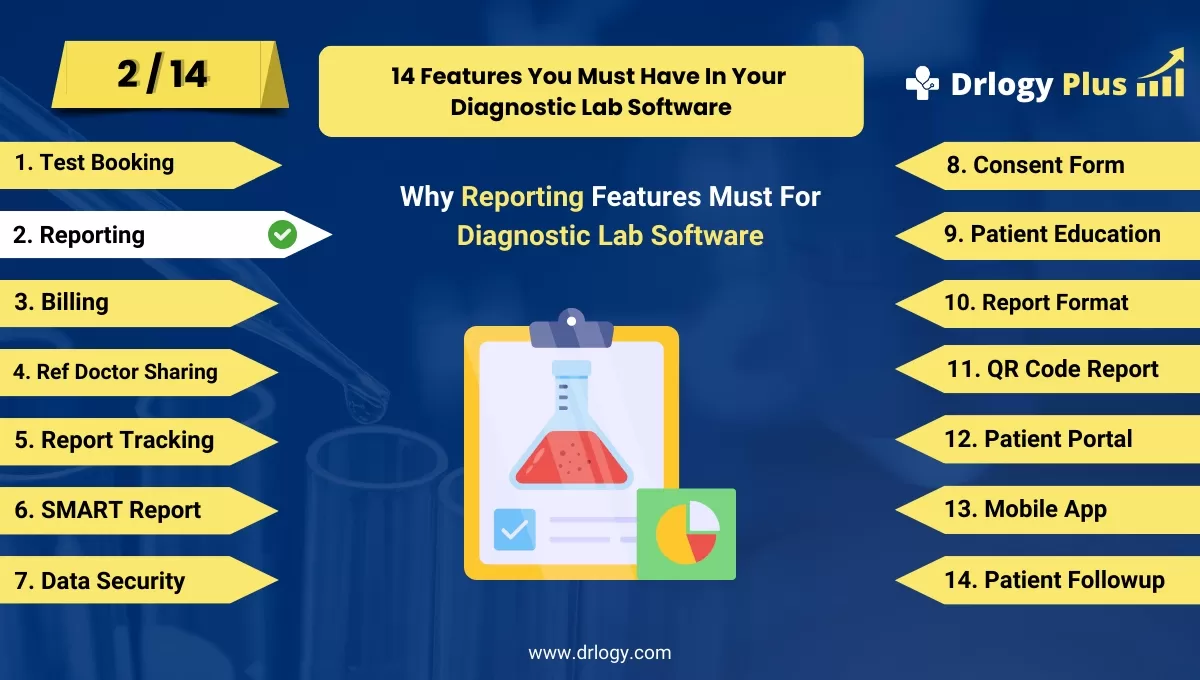
Why Reporting Feature Must For Diagnostic Lab Software
Effective reporting features in diagnostic lab software are essential for delivering timely, accurate, and comprehensive test results.
Check
These features not only streamline lab operations but also enhance communication with healthcare providers and improve patient outcomes.
10 Best Reporting Features For Diagnostic Lab Software
Here are 10 Best Reporting features For Diagnostic Lab Software.
1. Customizable Report Templates
- Customizable report templates allow labs to tailor documents to meet specific branding and formatting needs.
- Users can include essential information, such as lab logos and contact details, to maintain professionalism.
- Flexibility in design helps labs adhere to regulatory standards while presenting results clearly.
- Templates can be saved for consistent use, saving time and ensuring uniformity across reports.
- Customization options empower labs to adapt reports based on different tests or client requirements.
2. Automated Report Generation
- Automated report generation streamlines the reporting process, reducing manual effort and errors.
- Reports are created instantly after test results are finalized, enhancing efficiency in delivering results.
- Automatic scheduling of report generation ensures timely availability of information for healthcare providers.
- This feature allows lab staff to focus on critical tasks, improving overall productivity.
- Automated reports can be sentectly to healthcare providers or patients, enhancing communication.
3. Real-Time Data Access
- Real-time data access ensures that lab results are available as soon as they are processed, improving response times.
- Healthcare providers can view updated patient data immediately, enabling timely clinical decisions.
- Patients can access their results online without unnecessary delays, enhancing transparency.
- Immediate access to data facilitates efficient follow-ups and reduces patient anxiety about pending results.
- This feature supports better resource allocation within the lab, optimizing workflow efficiency.
4. Multi-Format Reporting
- Multi-format reporting allows labs to export results in various formats, such as PDF, CSV, or Excel, catering to diverse user needs.
- Flexibility in formats ensures compatibility with different systems, enhancing data sharing capabilities.
- Users can easily customize reports for specific audiences, whether for patients, healthcare providers, or regulatory bodies.
- Exporting options make it convenient for labs to maintain records and share information efficiently.
- Multi-format reporting fosters collaboration between labs and healthcare providers by streamlining data exchange.
5. Integration with EHR/EMR Systems
- Seamless integration with electronic health record (EHR) or electronic medical record (EMR) systems allows for automatic data transfer.
- This integration reduces data entry errors and ensures that patient information is always up to date.
- Providers can access lab resultsectly within their EHR/EMR systems, streamlining patient management.
- Improved interoperability between systems enhances communication and collaboration among healthcare teams.
- This feature supports comprehensive patient care by providing a holistic view of health information.
6. Statistical Analysis Tools
- Built-in statistical analysis tools allow labs to analyze test results andentify trends over time.
- Users can generate summary statistics, such as means and standard deviations, to evaluate test performance.
- Statistical insights support quality control initiatives, helping labs maintain high standards of accuracy.
- This feature facilitates research opportunities by providing valuable data for clinical studies.
- Labs can use analysis tools to enhance decision-making processes regarding test offerings and procedures.
7. Compliance and Audit Reporting
- Compliance and audit reporting features help labs maintain adherence to industry regulations and standards.
- Automated reports track adherence to protocols andentify areas for improvement, supporting quality assurance efforts.
- Users can generate audit trails that provide detailed records of test processing and reporting activities.
- This feature facilitates easier audits by regulatory bodies, minimizing the risk of penalties or sanctions.
- Compliance reporting enhances trust and transparency between labs, patients, and healthcare providers.
8. Patient History Reports
- Patient history reports compile comprehensive data about a patient’s previous tests and results, aiding clinical decision-making.
- Healthcare providers can access longitudinal data, allowing them to track changes in patient health over time.
- This feature supports personalized treatment plans by providing context for current test results.
- Patient history reports enhance communication between labs and healthcare providers by providing crucial background information.
- The availability of historical data can lead to better patient outcomes through informed decision-making.
9. Referral Tracking Reports
- Referral tracking reports allow labs to monitor and analyze referral patterns from healthcare providers.
- Users canentify which providers are referring the most patients, aiding in relationship management and marketing strategies.
- This feature helps labs assess the effectiveness of referral programs andentify opportunities for improvement.
- Tracking referrals can enhance communication and collaboration with healthcare providers, fostering partnerships.
- Labs can use insights from referral reports to optimize their service offerings and tailor marketing efforts.
10. User Access and Activity Reports
- User access and activity reports track who accessed patient data and when, enhancing security and accountability.
- These reports help labs ensure that only authorized personnel handle sensitive information, supporting compliance efforts.
- Monitoring user activity canentify potential security breaches or unauthorized access attempts, enabling proactive measures.
- Activity reports provide insights into user engagement with the software, helpingentify training needs for staff.
- This feature fosters a culture of accountability and security within the lab, enhancing trust among patients and providers.
14 Steps Guide For Diagnostic Lab Software
Here are 14 Steps Guide For Diagnostic Lab Software.
| 1. Online Test Booking | 8. Consent Form |
| 2. Reporting | 9. Patient Education |
| 3. Billing | 10. Report Format |
| 4. Ref Doctor Sharing | 11. QR Code Report |
| 5. Report Tracking | 12. Patient Portal |
| 6. SMART Report | 13. Online Test Booking |
| 7. Data Security | 14. Patient Followup |
Summary
Overall, These reporting features are crucial for diagnostic lab software, enabling labs to deliver accurate results, maintain compliance, and enhance patient care through effective communication and analysis.
Also, Check our complete 14 steps Drlogy Diagnostic Lab Software Buying Guide guide to make an informed decision and streamline your diagnostic Lab growth and Lab management and growth.




